

How do I troubleshoot a failed Cat6A or Cat7 test on my DSX tester?
Posted on: 03/03/2025
First Things First: Why Did Your Test Fail?
When your Fluke DSX-5000 or DSX-8000 throws a red "FAIL" instead of a green "PASS," don't panic. Failure means something in your Cat6A or Cat7 installation doesn't meet industry standards, but it's not always a lost cause.
Most test failures stem from simple issues like poor terminations, cable damage, or incorrect test settings. By systematically working through a few troubleshooting steps, you can often fix the problem without ripping everything out and starting over.

Common Causes of a Failed Cat6A or Cat7 Test
Bad Terminations
A poorly crimped pin or misaligned pair can cause return loss or NEXT (Near-End Crosstalk) issues.
Solution: Re-terminate both ends and ensure proper wire sequencing (T568A or T568B).
Cable Damage or Poor Handling
Overbending, excessive pulling, or kinks can disrupt performance.
Solution: Inspect the entire cable run for visible damage or pinch points.
Incorrect Test Settings
Your DSX tester must match the correct standard (TIA, ISO, etc.) and cable category.
Solution: Double-check that you're testing Cat6A or Cat7 with the proper limits.
Patch Cords Affecting Results
Low-quality or mismatched patch cords can fail a test even if the permanent link is fine.
Solution: Swap them out with verified Cat6A/Cat7 patch leads.
Shielding Issues (For Cat6A FTP and Cat7)
Poor grounding or improper shield termination can cause shield integrity tests to fail.
Solution: Ensure shields are connected properly at both ends.
Troubleshooting Steps
Step 1: Review the Test Results
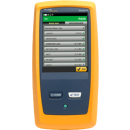
Look at detailed test reports on your DSX tester to pinpoint the failure.
Is it NEXT, return loss, shield continuity, or another parameter?
Step 2: Inspect the Connectors
Check for loose pins, improper seating, or excess untwisting of pairs at termination points.
Re-terminate if necessary and use a quality termination tool.
Step 3: Run a Wire Map Test
This will catch any miswires, reversals, or split pairs.
If the wiring is incorrect, redo the terminations carefully.
Step 4: Check for External Interference
Nearby power lines, fluorescent lights, or network cables can cause alien crosstalk.
Try rerouting cables away from electrical sources or high-interference areas.
Step 5: Re-test with Known Good Equipment
To isolate the issue, swap out patch leads, use a different tester, or re-run with a shorter cable segment.
A Quick Reality Check
If you've checked everything and still can't get a pass, ask yourself:
Did I buy cheap connectors to "save money"?
Did I accidentally crimp a shielded plug onto an unshielded cable?
Did I test using the correct standard?
Sometimes, the fix is as simple as using the right materials and following proper installation best practices.


FAQs
Why does my Fluke DSX-5000/8000 fail the test even though the cable looks fine?
Even if a cable looks perfect, microscopic damage, poor termination, or subtle interference can cause test failures. Check terminations, shielding, and interference sources.
What's people's most significant mistake when terminating Cat6A/Cat7 cables?
Not maintaining the correct twist length! Untwisting pairs too much before termination can lead to high NEXT (crosstalk) and a failed test.
How can I check if shielding is the issue?
Run a shield continuity test on the Fluke DSX tester. If it fails, verify that the shield is correctly terminated at both ends.
Can using cheap patch cords cause a test failure?
Low-quality or mismatched patch cords can ruin an otherwise perfect installation. Always use verified Cat6A/Cat7 patch leads.
Should I always re-test after fixing an issue?
After every fix, re-run the test to confirm the issue is resolved. If it still fails, move on to the next possible cause.

Final Thoughts
A failed Cat6A or Cat7 test on your Fluke DSX-5000 or DSX-8000 isn't the end of the world. In most cases, it's fixable with a systematic approach, checking terminations, ensuring proper cable handling, and using the correct test settings.
If you're still stuck, don't hesitate to call in an expert or hire a second tester to verify the results.
And remember, sometimes, the problem isn't the cable. It's just a Monday.
Related Products
