

How do I troubleshoot frequent ‘test aborted’ errors with my patch cord adapter?
Posted on: 24/03/2025
Dealing with frequent 'test aborted' errors while using patch cord adapters can be a real headache, but don't panic. It's a common issue that's usually easy to fix.
These errors typically happen when your test equipment can't complete its diagnostic because of connectivity issues, improper settings, or, sometimes, faulty hardware.
If you're using a Fluke Networks patch cord adapter, follow these simple steps to troubleshoot the problem and get back on track.
These errors typically happen when your test equipment can't complete its diagnostic because of connectivity issues, improper settings, or, sometimes, faulty hardware.
If you're using a Fluke Networks patch cord adapter, follow these simple steps to troubleshoot the problem and get back on track.

Check Your Connections
First, a 'test aborted' error can often be traced back to a loose or improper connection. Ensure your patch cord adapter is securely connected to the OTDR (Optical Time Domain Reflectometer) and the fibre under test. A slight movement or poor contact could cause the test to fail before it even starts. Double-check that the fibre is inserted correctly into the adapter, ensuring no dust or dirt is obstructing the connection.
Inspect the Patch Cord Adapter
If the connections are all good, it's time to inspect your patch cord adapter itself. Over time, these adapters can suffer from wear and tear, particularly at the contact points. If you've been using the same adapter for a while, it might be worth checking for visible damage. A cracked or worn adapter may cause connectivity issues and test failures.
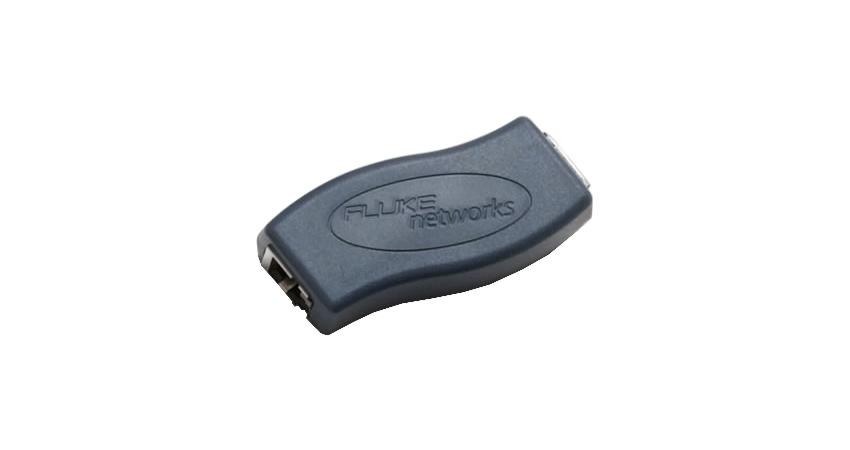
Verify Adapter Compatibility
Another common reason for 'test aborted' errors is using an incompatible patch cord adapter with your testing equipment. Fluke Networks devices, for instance, require specific adapters to work correctly with sure cables and fibre types. Double-check your equipment's manual or specifications to confirm that your adapter is compatible with your OTDR and the cable you're testing.
Clean Your Fibre Cables
Fibre cleanliness is key when running any test. Dust, oils, or fingerprints on the fibre ends can cause significant signal loss, leading to test errors. Always clean your fibre cables before connecting them to the patch cord adapter using proper cleaning kits and techniques. Dirty fibres are one of the easiest things to overlook but can cause problems with fibre testing.
Test with a Different Patch Cord Adapter
If you've gone through all the steps above and the issue persists, the problem may lie with the patch cord adapter. Testing with a different adapter can help you determine if the issue is related to the current one you're using. If the second adapter works fine, it's time to replace the faulty one.

FAQs
What can cause a 'test aborted' error with my Fluke Networks patch cord adapter?
Loose connections, dirty fibre ends, or an incompatible adapter usually cause this error. Check all connections, clean the fibres, and ensure your adapter matches the requirements for your testing device.
How do I clean my patch cord adapter and fibre cables properly?
Use a fibre optic cleaning kit to wipe both the patch cord adapter and the ends of the fibre cables. Before connecting them for testing, ensure no dust, oils, or other contaminants are on the surfaces.
What should I do if my patch cord adapter is damaged?
If you notice physical damage, it is best to replace the patch cord adapter. Your supplier can usually provide compatible Fluke Networks testing equipment adapters.
Can I use any patch cord adapter with my OTDR?
No, not all adapters are compatible with every OTDR. Always refer to the manufacturer's specifications for the exact adapter required for your device and fibre type.
How can I tell if my patch cord adapter is the issue?
Try testing with a different adapter. If the problem disappears, the original adapter is likely at fault. Also, if the adapter shows any signs of physical wear or damage, it might need replacing.

Troubleshooting 'test aborted' errors with your patch cord adapter are often straightforward when you know what to check.
Ensure your connections are secure, the adapter is in good condition, and everything is cleaned correctly and compatible. If all else fails, a new adapter could be the solution.
Taking a few minutes to troubleshoot can save you hours of frustration, and no one has time for that, right?
Related Products
