

How Do I Troubleshoot Poor Test Results When Using Patch Cord Adapters?
Posted on: 05/03/2025
Poor test results can be frustrating when using patch cord adapters, particularly with test equipment like Fluke Networks testers.
But don't worry. There are a few simple steps you can take to troubleshoot and improve your results. First, check the basics.
Are your patch cord adapters in good condition? A faulty or damaged adapter is among the most common causes of poor test results.
Let's dive deeper into some other potential issues and how to address them.
But don't worry. There are a few simple steps you can take to troubleshoot and improve your results. First, check the basics.
Are your patch cord adapters in good condition? A faulty or damaged adapter is among the most common causes of poor test results.
Let's dive deeper into some other potential issues and how to address them.

Check the Patch Cord Adapters
A worn-out or dirty patch cord adapter can easily lead to inaccurate readings. Over time, adapters can accumulate dirt or even become physically damaged, causing unreliable test results. Start by inspecting your adapters closely. Look for any visible signs of wear, like bent connectors or broken locking tabs. A quick clean-up might be all it takes to restore your test results to normal.
Proper Compatibility with Equipment
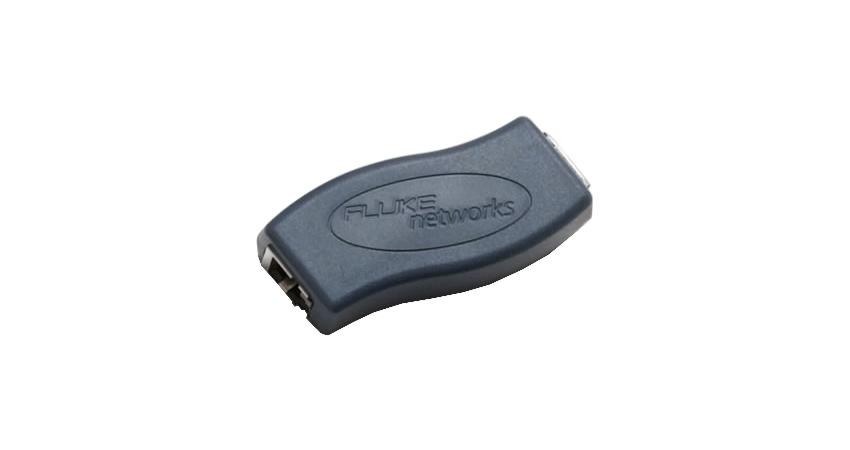
Not all adapters are created equal, and using the wrong one for your equipment can result in inconsistent or poor test results. Ensure your patch cord adapter is fully compatible with your tester, like the Fluke Networks test equipment. For example, using an older adapter with newer test equipment may lead to errors, so always check the compatibility before conducting tests.
Connection Issues
Loose connections are another culprit that can mess up your test results. When connecting your patch cord adapters to your OTDR or network tester, ensure everything is tightly secured. A loose or improper connection can result in inaccurate readings or failed tests. Double-checking your connections before running a test is always a good idea.
Use Quality Cables
Another important factor is the quality of the cables you're using alongside the patch cord adapters. If the cables are damaged or not up to spec, it can throw off your results. Use high-quality, certified cables for testing, such as those recommended by your equipment manufacturer. Fluke Networks, for example, offers certified cables designed to work seamlessly with their testers.
Test the Equipment Itself
Finally, if all else fails, it might be time to test the test equipment. While rare, your Fluke Networks tester or OTDR could be the source of the issue. It might be worth sending the equipment for calibration or repairs if you've gone through all the troubleshooting steps and still get poor results.
FAQs
What are the common causes of poor test results with patch cord adapters?
Poor test results are often due to damaged or dirty patch cord adapters, improper connections, incompatible cables, or faulty testing equipment.
Can I use any patch cord adapter with my Fluke Networks tester?
Not all adapters are compatible with every tester. To ensure accurate results, ensure that the patch cord adapter is designed for use with Fluke Networks equipment.
How can I clean my patch cord adapters to improve test results?
You can clean your adapters gently using a microfiber cloth. Avoid harsh chemicals, and make sure the connectors are free of debris or dirt.
What type of cables should I use with patch cord adapters?
For best results, use high-quality, certified cables. Stick to cables recommended by your equipment manufacturer to ensure accurate testing.
How do I know if my Fluke Networks tester needs calibration?
If you've ruled out all other issues and are still getting inconsistent test results, calibrating your Fluke Networks tester might be time. Refer to the manufacturer's guidelines for calibration intervals.

Final Thoughts
Troubleshooting poor test results when using patch cord adapters doesn't have to be a headache. With a few simple steps, such as inspecting your adapters, ensuring compatibility with your Fluke Networks tester, and using quality cables, you'll be back on track in no time.
Remember, sometimes the small things make the most significant difference. And if all else fails, don't hesitate to send your equipment in for a check-up. After all, even the best tools need a little TLC now and then.
Related Products
