

How to Set Up and Calibrate an OTDR
Posted on: 14/02/2025
Setting up and calibrating your Optical Time Domain Reflectometer (OTDR) may seem daunting, but with the right approach, it's a breeze.
You need to ensure your OTDR is properly configured to get accurate readings.
It's not just about turning it on and hoping for the best proper calibration to ensure that your tests are precise and reliable.
You need to ensure your OTDR is properly configured to get accurate readings.
It's not just about turning it on and hoping for the best proper calibration to ensure that your tests are precise and reliable.

Setting Up Your OTDR
First things first: connect your OTDR to the fibre under test. You should always ensure the fibre is clean and free from contaminants like dust, oil, or grease that could interfere with the test results. This is where a simple fibre cleaning kit comes in handy. After ensuring your fibre is clean, connect the OTDR's launch cable to the fibre you want to test.
Now, it's time to set up the OTDR itself. Here's a step-by-step guide:
Power On the OTDR: Hold the power button until it powers up (you know it's on when the screen lights up).
Select Fibre Type: Choose whether you work with single-mode or multimode fibre. Different fibres have different characteristics, and your OTDR must be set accordingly.
Set the Test Parameters: You adjust settings like test wavelength, pulse width, and range. You'll want to tailor these settings based on the type of fibre and the distance you are testing.
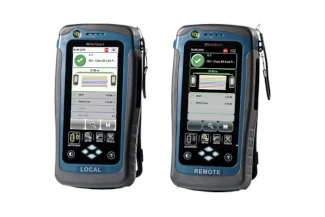
Calibrating Your OTDR
Calibration ensures that your OTDR gives accurate results. Think of it as tuning an instrument; it won't perform its best if it's out of tune.
Perform an Autocalibration: Many OTDR models come with an automatic calibration feature. This is a good place to start, as it will quickly adjust the device's settings based on the environment and fibre under test.
Check the Test Results: After calibration, run a test on the fibre. Check the results to ensure the OTDR is reading properly. If the readings look off, you might need to adjust the pulse width or wavelength and try again.
Verify with Known Standards: It is always a good practice to use known-good fibres as a reference. By testing fibres with known characteristics, you can ensure your OTDR is calibrated and functioning correctly.
Common Pitfalls to Avoid
Incorrect Fibre Cleaning: One of the most common issues when setting up an OTDR is failing to properly clean the fibre. A speck of dust can throw off your readings.
Not Checking for Firmware Updates: Make sure your OTDR's firmware is current, as manufacturers often release updates that improve functionality and performance.
Overcomplicating the Settings: Start simple. Adjust the most basic settings and focus on what's important for your specific test.


FAQ's
What's the difference between single-mode and multimode fibre when using an OTDR?
Single-mode fibre is used for long-distance transmissions and has a smaller core. Multimode fibre, on the other hand, is used for shorter distances and has a larger core. Your OTDR needs to be configured accordingly for accurate measurements.
How often should I calibrate my OTDR?
It's recommended that you calibrate your OTDR every time you use it, especially before performing critical tests. Regular calibration ensures that the readings are as accurate as possible.
Can I use an OTDR to test copper cables?
No, OTDRs are designed specifically for testing fibre optics, not copper cables. You would need a different tool, such as a cable tester, for copper cables.
Why is my OTDR giving inconsistent results?
Inconsistent results could be due to several factors, such as dirty fibres, incorrect test parameters, or faulty OTDR settings. Clean the fibre, check your settings, and make sure the OTDR is calibrated.
Do I need to use a launch cable with my OTDR?
Yes, always use a launch cable when testing with an OTDR. The launch cable allows the OTDR to properly measure the fibre end and eliminates issues with reflections from the fibre end.

Setting up and calibrating your OTDR may require some attention to detail, but the effort pays off in reliable and accurate test results. Once you get the hang of it, it becomes second nature. Clean fibres, proper settings, and regular calibration are key because nobody likes fuzzy test results.
Related Products
