

What are the key specifications to look for when choosing an OTDR?
Posted on: 12/02/2025
When choosing an Optical Time Domain Reflectometer (OTDR), it's essential to understand the key specifications to make your work easier, more accurate, and more efficient.
Whether you're a data installer, an electrician, or a wholesaler, the right OTDR can help you maintain your cables and networks at their best.
So, what should you look for when selecting one?
Whether you're a data installer, an electrician, or a wholesaler, the right OTDR can help you maintain your cables and networks at their best.
So, what should you look for when selecting one?

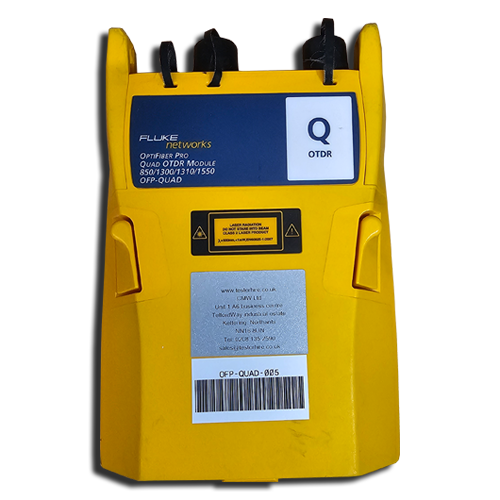
Display and Interface
A clear, easy-to-read display can make all the difference when troubleshooting. Choose an OTDR with an intuitive touchscreen interface, which allows you to navigate settings and view measurements easily. You want something that is user-friendly, especially if you're on-site and need quick results.
Battery Life and Portability
If you're always on the move, you'll appreciate an OTDR with a long-lasting battery and a lightweight design. You don't want to carry a bulky machine that dies halfway through your workday. OTDRs with longer battery life and portable designs will make your life much easier.
Test Modes and Software Features
Many modern OTDRs come with software that simplifies data analysis. Look for models that offer built-in test modes for quick and efficient testing and options for storing and analysing results later. Features like automated fault detection or enhanced event analysis are bonuses for techs who need high efficiency.


FAQs
What is an OTDR used for?
An Optical Time Domain Reflectometer (OTDR) measures light reflections to test the integrity of optical fibres. It helps technicians locate faults, measure fibre length, and assess signal loss, ensuring that fibre optic networks perform optimally.
How do I know if I need a high dynamic range OTDR?
If you are working on long fibres or networks with significant signal loss, you'll need an OTDR with a higher dynamic range. A higher range allows you to detect weak signals over greater distances, ensuring more accurate testing.
What does a dead zone refer to in an OTDR?
The dead zone is right after a connector or splice where the OTDR can't accurately measure signals. A shorter dead zone means the OTDR can more effectively test fibres with closely spaced connectors.
Can an OTDR test both multimode and single-mode fibres?
Yes! Most OTDRs come with multiple wavelengths (e.g., 850 nm for multimode and 1300 nm or 1550 nm for single mode), allowing them to test both fibre types. Be sure to choose an OTDR with the correct wavelength range for your needs.
Is an OTDR suitable for short fibre lengths?
While OTDRs are often used for longer fibre lengths, they are also helpful for shorter lengths. However, if you're primarily working with short fibres, you should focus on OTDRs with a lower dynamic range to avoid over-compensating for signal loss.

Choosing the right OTDR involves balancing features that suit your specific needs. The key specs, wavelength range, dynamic range, dead zone, resolution, display, battery life, and software are all important to get the most accurate and efficient results. Selecting an OTDR with the correct specifications allows you to streamline your work, diagnose faults faster, and ensure reliable network performance.
Related Products
