

What causes intermittent connectivity issues during testing with Fluke patch cord adapters?
Posted on: 25/03/2025
If you've ever experienced intermittent connectivity issues during Fluke patch cord adapter testing, you're not alone.
It can be frustrating when the results aren't as stable as expected. This blog will explore the common causes of these issues and suggest ways to avoid them.
It can be frustrating when the results aren't as stable as expected. This blog will explore the common causes of these issues and suggest ways to avoid them.

Connection Problems with Patch Cord Adapters
The first potential culprit is the connection between the patch cord adapter and the device you're testing. Loose or improperly seated connections can cause intermittent connectivity. This is often seen when the adapter isn't securely plugged into the test equipment or the patch panel, resulting in inconsistent readings. Always check the connections, ensuring both ends are firmly in place.
Damaged or Worn Patch Cords
Ageing patch cords or damaged cables could lead to sporadic connectivity problems. Though robust, Fluke Networks patch cord adapters rely on the connected cables' integrity. If your patch cords are frayed, bent excessively, or show visible wear, they may not transmit signals as efficiently, leading to connectivity dropouts. Inspect cables regularly for signs of wear and tear.
Faulty Patch Cord Adapters
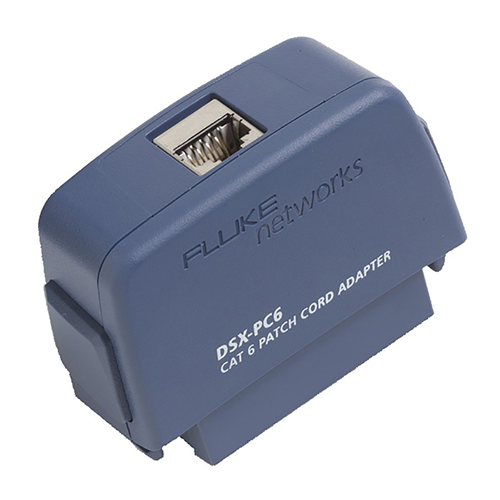
Though rare, faulty patch cord adapters could also be to blame. Over time, connectors or internal components within the adapter might wear out or malfunction. If the issue persists across different cables and testing setups, it may be time to replace the adapter. Don't forget to check for firmware updates, as they can help fix bugs or improve performance.
Environmental Factors
Electrical interference or poor grounding can wreak havoc on your connectivity during testing. If you're working in an environment with strong electromagnetic fields (EMF), nearby electrical equipment may disrupt the signals during the test. Try relocating your testing setup to an area with less interference or using shielding cables.
Incompatibility with Testing Equipment
While Fluke patch cord adapters are compatible with a wide range of devices, using the wrong combination of patch cords, adapters, and test equipment may cause intermittent connectivity. Check your equipment's specifications to ensure compatibility. Sometimes, an older patch cord might not work well with newer testing equipment.

FAQs
Can I use non-Fluke patch cords with Fluke patch cord adapters?
Using Fluke-approved patch cords for best results is generally recommended, though some third-party cords may work if they meet the necessary specifications. Always ensure the cord quality is up to par to avoid connectivity issues.
How often should I replace my patch cords?
Patch cords should be replaced when they show signs of physical wear or if they're no longer functioning as expected. Regularly inspecting and testing them can prevent connectivity issues down the line.
How can I prevent interference during my tests?
Ensure your testing setup is placed away from sources of electrical interference. Use shielded cables or equipment to help reduce noise and check grounding connections for stability.
What should I do if the connectivity issue persists despite checking everything?
Try using a different patch cord adapter, cables, and even testing equipment. If the issue is still present, it may be worth contacting Fluke support for a thorough diagnostic.
How do I know if my patch cord adapter is faulty?
If you consistently experience connectivity issues and the problem is not related to your cables or environment, it's a good idea to test the adapter with different setups. If the problem persists, it could be time for a replacement.

Intermittent connectivity issues during testing with Fluke patch cord adapters are often the result of simple issues like loose connections, damaged cables, or environmental interference.
Understanding these causes and addressing them can ensure more reliable test results and smoother networking projects.
Remember, troubleshooting is an art, so the next time your patch cords act up, don't pull your hair out; it's usually a quick fix.
Understanding these causes and addressing them can ensure more reliable test results and smoother networking projects.
Remember, troubleshooting is an art, so the next time your patch cords act up, don't pull your hair out; it's usually a quick fix.
Related Products
