

What is "dead zone" in OTDR testing, and how do I minimise its impact?
Posted on: 05/03/2025
The "dead zone" in Optical Time Domain Reflectometer (OTDR) testing is where the device cannot accurately detect or measure events due to high reflection from a connector or splice. When a strong reflection occurs, the OTDR's receiver becomes momentarily blinded, making it impossible to distinguish between events that are close together. Think of it as looking directly at a bright camera flash; your eyes need a moment to adjust before you can see again.

But don't worry; there are ways to reduce the impact of dead zones and ensure your fibre optic test results are as accurate as possible.
Types of Dead Zones in OTDR Testing
There are two main types of dead zones:
Event Dead Zone (EDZ) – The minimum distance after a reflective event where the OTDR can detect another event.
Attenuation Dead Zone (ADZ) – The distance after a reflective event where the OTDR can measure loss accurately.
The length of these zones depends on the OTDR's pulse width settings, the event's reflectivity, and the quality of the fibre being tested.
How to Minimise the Impact of OTDR Dead Zones
Here's what you can do to keep dead zones from interfering with your test results:
Use a Launch Box (Launch Fibre or Pulse Suppressor Cable)
A launch box helps extend the fibre length before the first event, allowing the OTDR to stabilise before testing the fibre under inspection. This ensures the first connector or splice isn't lost in the dead zone.
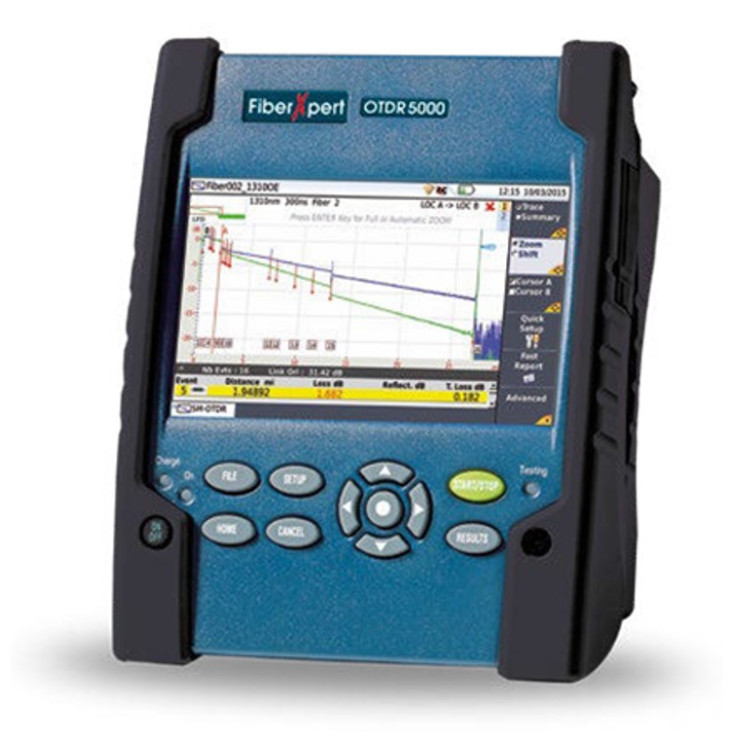
Adjust the Pulse Width
A shorter pulse width reduces dead zones but may increase noise. A longer pulse width improves signal strength but extends dead zones. The trick is finding the right balance based on fibre length and test requirements.
Use a High-Resolution OTDR
Not all OTDRs are created equal. Some have advanced processing capabilities that minimise dead zones and improve event detection. Investing in a high-resolution OTDR is brilliant if you frequently work with short-fibre links.
Perform Bi-Directional Testing
Testing from both ends of the fibre helps identify events that might be obscured by the dead zone when testing from only one direction. This provides a more accurate view of the fibre's condition.
Choose the Right Wavelength
Different wavelengths have different reflection and attenuation characteristics. Testing at multiple wavelengths (e.g., 1310 nm and 1550 nm) can help detect hidden events that may be affected by dead zones.
style="max-width:100%; max-height:100%; width:174.33px;height:42.36328125px" data-hubspot-wrapper-cta-id="114853199330">
 onerror="this.style.display='none'" />
 onerror="this.style.display='none'" />
FAQs
What causes dead zones in OTDR testing?
Dead zones occur due to high reflection from connectors, splices, or mechanical splices. The OTDR's receiver temporarily overloads, making it unable to detect nearby events.
How long is an OTDR dead zone?
The length of a dead zone depends on the OTDR's pulse width, fibre type, and reflectivity of the event. Event dead zones can range from a few centimetres to several metres.
Can I eliminate dead zones?
No, but you can minimise their impact by using a launch box, optimising pulse width settings, and testing from both ends of the fibre.
Why should I use a launch box in OTDR testing?
A launch box helps extend the fibre length before the first event, allowing the OTDR to stabilise and accurately measure the first connector or splice.
What's the best OTDR setting for short fibre links?
Use a shorter pulse width and a high-resolution OTDR for short fibre links to reduce dead zones and improve event detection accuracy.

Final Thoughts
Dead zones are unavoidable in OTDR testing, but their impact can be minimised with the proper techniques and tools. Whether you're a seasoned fibre installer or an electrician new to OTDR testing, following these best practices will help you get accurate, reliable test results. And remember, if your test results look too perfect, double-check them. Even the best OTDRs can't make bad splices disappear.
Related Products