

Why Is My OTDR Showing High Loss at Connectors?
Posted on: 11/04/2025
If you've recently used your Optical Time Domain Reflectometer (OTDR) and noticed high loss readings at your connectors, you're not alone. This can be a common issue, but understanding the causes can help you troubleshoot and improve the accuracy of your measurements. Let’s dive into why this happens and how to solve it.

Common Causes of High Loss at Connectors
The first thing to know is that connectors are often the culprit when OTDRs show high loss. Even if the fibre itself is pristine, the connectors can introduce unwanted attenuation. Here’s why:
Dirty or Damaged Connectors: One of the most common reasons for high loss at connectors is dirt or damage on the connector endfaces. Dust, oil, or scratches on the connector can cause significant signal loss. It’s like trying to make a call with a clogged phone speaker, it won’t go through clearly.
Improper Connector Mating: If connectors are not properly mated, they may create a poor optical interface, leading to high loss. This can happen when connectors don't fit snugly or are mismatched, reducing the signal quality. Think of it like trying to plug a USB into a port at an awkward angle, it’s not going to connect properly.
Connector Type and Quality: Not all connectors are created equal. Low-quality or incompatible connectors can introduce more loss. Ensure you’re using high-quality connectors that match the standards of your fibre optic network. You wouldn’t use a cheap wrench on a high-precision machine, right?
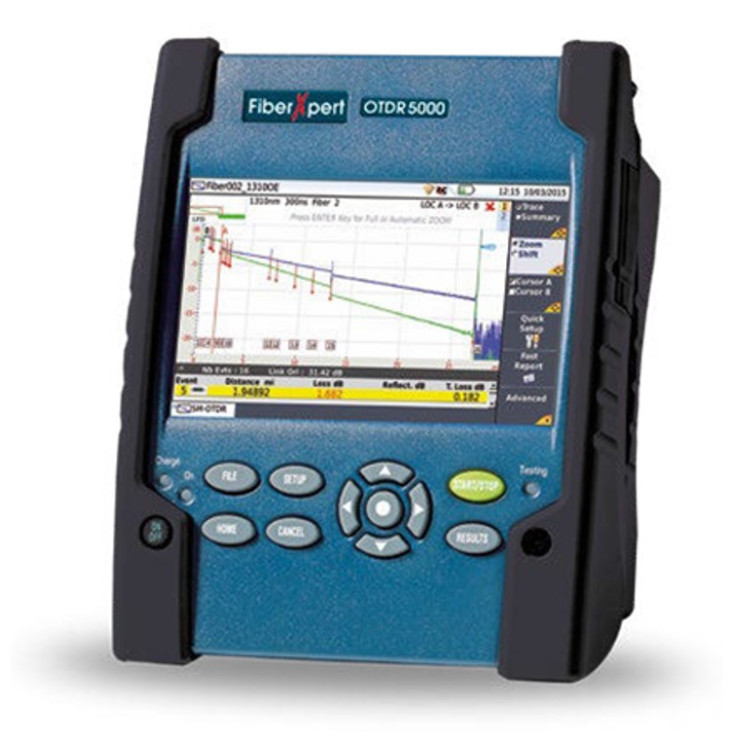
How to Troubleshoot High Loss at Connectors
Now that you know the potential causes, here’s how to troubleshoot and address high loss readings at connectors:
Clean the Connectors: Always start by cleaning your connectors before testing with your OTDR. Use proper fibre optic cleaning tools like wipes, swabs, or even a specialized cleaning device to ensure there’s no debris on the connector endfaces.
Inspect for Damage: Check for scratches, cracks, or other visible damage on the connectors. Damaged connectors should be replaced or repaired immediately to avoid inaccurate readings.
Check Connector Compatibility: Make sure the connectors you're using are appropriate for the fibre type. For instance, SC, LC, and MTP connectors each have different specifications, and using the wrong one can lead to more signal loss.
Use a Proper Launch Cable: A launch cable (the cable you use to connect the OTDR to the fibre under test) should also be of good quality. A poor-quality launch cable can introduce loss that shows up as high loss at connectors. Be sure to use cables that match your OTDR’s specifications.


FAQs
What’s the best way to clean fibre optic connectors?
The best method is to use a fibre optic cleaning kit that includes wipes, swabs, and a cleaning fluid designed for fibre optics. Never use regular wipes or cleaners, as they can leave residue.
Can high loss readings always be attributed to connectors?
No, but connectors are one of the most common sources of high loss. Other potential causes include poor splices, bends in the fibre, or damaged fibre.
How do I know if my connector is damaged?
Inspect the connector visually for scratches, chips, or cracks. A microscope or a specialized inspection tool can give you a more detailed view of the connector’s condition.
Should I always use the same launch cable with my OTDR?
Yes, using the same launch cable each time ensures consistency in your measurements. Make sure the cable is high-quality and properly matched to your OTDR.
How often should I replace fibre optic connectors?
Replace connectors when they are damaged, or after several uses if you notice degradation in performance. Regular cleaning and inspection can extend their lifespan. 
High loss at connectors can be frustrating, but it's often an easy fix with some attention to detail. Keep your connectors clean, inspect them for damage, and ensure compatibility with your OTDR. If you’re experiencing persistent issues, remember, CMW is here to help you get the most out of your fibre optic testing equipment, ensuring your data installations are always running smoothly.
Related Products
