

How do I know if my wireless network is congested or underperforming?
Posted on: 05/06/2025
First Things First: Yes, You Can Tell If Your Network's Struggling
If your wireless network is lagging, dropping out, or crawling when it should be performing optimally, then yes, it's likely either congested or underperforming.
And the good news? With the right wireless testing solutions, you can figure out exactly what's going wrong.
But before you start blaming the office coffee machine for interfering with your Wi-Fi (we've heard it all), let's break down what network congestion and underperformance mean and how to diagnose them like a pro.

Congestion vs Underperformance: What's the Difference?
Congested Network?
This occurs when too many devices compete for the same wireless channel. It's like trying to have a conversation in a room full of people yelling.
Tell-tale signs:
Slow speeds at peak times
High latency or lag
Frequent buffering during video calls or streaming
Underperforming Network?
This could be due to outdated hardware, poor configuration, or interference from physical obstructions or rogue signals.
Symptoms include:
Weak or dead spots in coverage areas
Inconsistent connectivity
Devices connecting to far-away access points
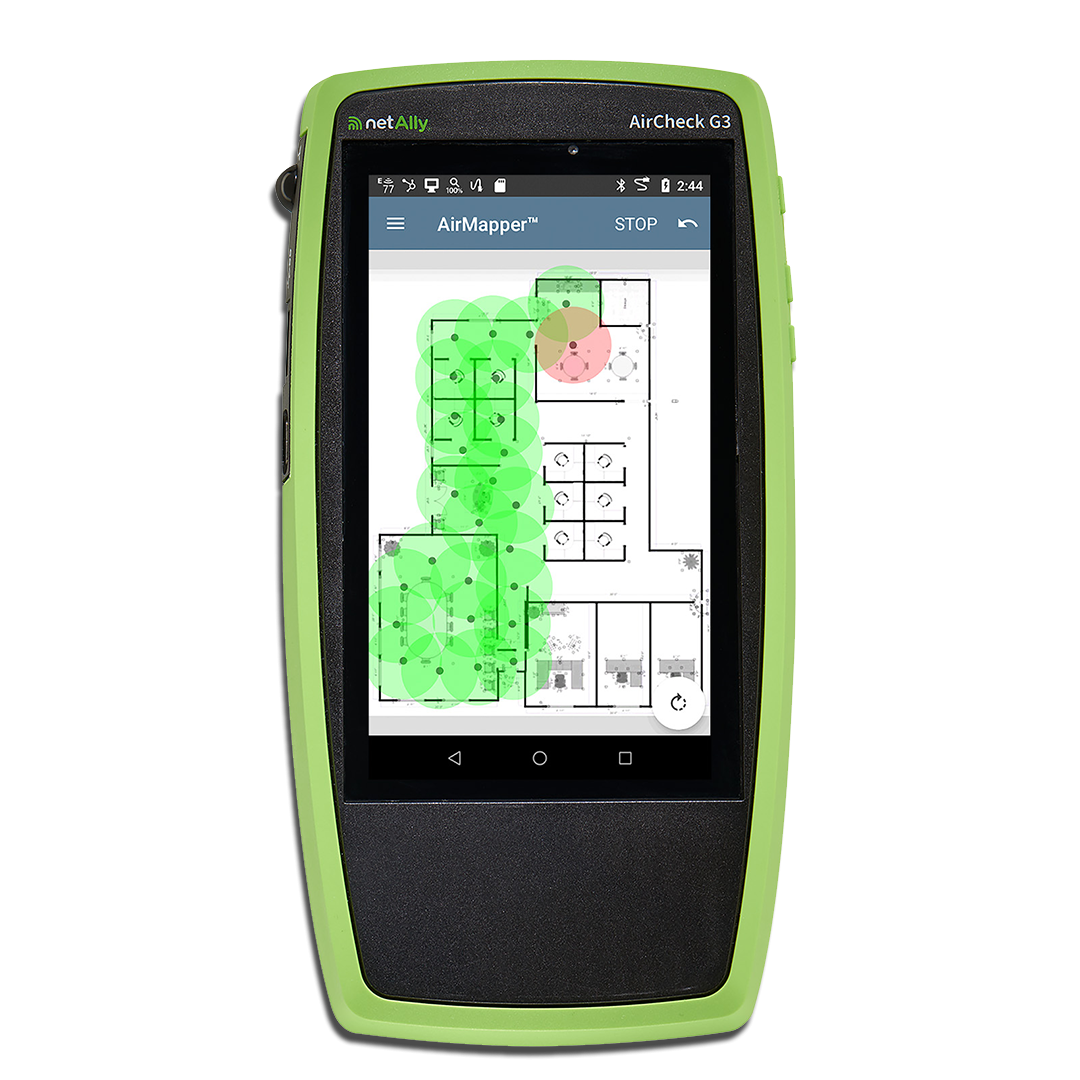
How to Know for Sure: Wireless Testing to the Rescue
You don't have to guess. Wireless network testing tools make it easy to identify issues. These tools can test throughput, signal strength, channel usage, and interference levels.
Here's what to look into:
Wireless Signal Analysis
Use it to assess signal strength and detect noise levels in your environment. It is ideal for figuring out coverage issues or interference from neighbouring networks.
Wireless Coverage Testing
This helps pinpoint dead zones in your office, warehouse, or site layout. If you're walking through your space and suddenly lose signal, this is your go-to test.
Wireless Infrastructure Testing
Verify that your routers, access points (APs), and other components are properly configured and functioning correctly. A poorly placed access point can make all the difference.
RF Testing
Essential for identifying non-Wi-Fi interference from microwaves, wireless cameras, and more. It is perfect for addressing those mysterious slowdowns that lack a clear cause.


FAQs
How often should I test my wireless network?
Ideally, every few months or after any significant changes to your layout, devices, or infrastructure. Regular checks help catch issues before they turn into complaints.
What's the best tool for wireless coverage testing?
Look for handheld wireless testers or software that maps your network's signal strength. These tools enable you to view signal heatmaps in real time.
Can household electronics interfere with wireless networks?
Yes! Microwaves, cordless phones, and even fish tanks (yes, really) can cause interference. RF testing tools help identify these culprits.
What's the difference between Wi-Fi testing and RF testing?
Wi-Fi testing examines your network's performance; RF testing checks for all radio frequency signals, whether Wi-Fi or not, that may interfere.
I'm an electrician; should I care about wireless diagnostics?
Yes. More customers expect a seamless wireless experience. Offering testing or diagnostics can set you apart and add value to your services.

Final Thoughts
Your wireless network doesn't have to be a mystery. With the proper wireless communication diagnostics and wireless test equipment, you can stop guessing and start solving.
Whether you're a data installer, electrician, or tech-savvy end-user, wireless testing isn't just helpful; it's essential.
Because let's face it: when the Wi-Fi's down, suddenly everyone remembers your number.
Related Products
