

What should I do if multiple devices can’t connect to the Wi-Fi network simultaneously?
Posted on: 14/05/2025
When multiple devices can't connect to your Wi-Fi network simultaneously, the issue often lies in your wireless access point's capacity, network configuration, or outdated hardware.
In a business setting, this disruption isn't just frustrating; it can bring productivity to a standstill.
The good news? There are scalable enterprise networking solutions designed precisely for this kind of scenario.
In a business setting, this disruption isn't just frustrating; it can bring productivity to a standstill.
The good news? There are scalable enterprise networking solutions designed precisely for this kind of scenario.

Overloaded Wi-Fi Access Points
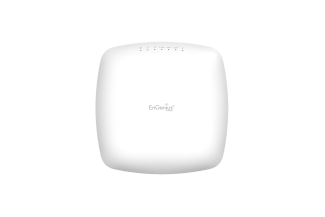
Business Wi-Fi needs to support dozens, sometimes hundreds, of devices. They'll likely struggle if your wireless access points (APS) are entry-level or not designed for high user density.
Imagine trying to stream a webinar while your colleagues all fight for bandwidth. Chaos.
What to do:
Upgrade to enterprise-grade access points that support high device density.
Consider Wi-Fi 6 or Wi-Fi 6e hardware for increased capacity and efficiency.
Use dual- or tri-band APS to spread traffic across multiple channels.
Poor Network Infrastructure or Layout
If your network deployment only effectively covers certain areas, some devices might not get a strong enough signal to connect, especially in larger offices or older buildings with thick walls.
Quick fixes:
Perform a wireless site survey to identify signal dead zones.
Add more APS in weak areas (but don't just guess, placement matters).
Ensure proper cabling between APS and switches, using high-quality CAT 6 or higher.
IP Address Conflicts
Small or misconfigured networks often have limited DHCP scopes. When too many devices request IP addresses simultaneously, some don't get one, cue the dreaded "can't connect" message.
Solution:
Expand your DHCP scope or implement VLANS for better segmentation.
Managed switches and controllers are used to track device traffic more effectively.
Bandwidth Bottlenecks
Even with the best gear, your internet connection might be the bottleneck. It adds up fast if 20 people are syncing cloud files, streaming calls, or downloading extensive updates.
Tips:
Use Quality of Service (QOS) settings to prioritise business-critical traffic.
Monitor bandwidth usage with network monitoring tools.
Talk to your ISP about upgrading your business line.
Scalability Issues
Networks that weren't built to scale often show their age when your team and tech grow. Legacy systems can quickly become the weak link in otherwise modern operations.
The fix:
Reevaluate your network scalability needs every 12–18 months.
Consider a controller-based wireless networking solution for easier management and scaling.
After all, your Wi-Fi should be more dependable than your office kettle.


FAQs
Why can only one or two devices connect to our office Wi-Fi?
This often points to limited access point capacity or a small DHCP scope. Consider upgrading your access point or reviewing your network settings.
How do I know if my access points are overloaded?
Look for frequent disconnects, slow speeds, or devices unable to connect during peak hours. A network monitoring tool can provide deeper insight.
Can a single router handle multiple users in a business environment?
Not efficiently. A single consumer-grade router isn't designed for enterprise traffic. Consider multiple APSS managed by a wireless controller.
What's the best way to scale our Wi-Fi as our team grows?
Implement modular enterprise networking with scalability in mind, use VLANS, managed switches, and Wi-Fi 6-enabled access points.
Should I upgrade to Wi-Fi 6?
Yes, especially for growing businesses. Wi-Fi 6 is built for device-heavy environments and will improve speed and reliability.

Final Thoughts
In today's fast-moving business world, your wireless network should be the least of your worries.
If multiple devices can't connect to Wi-Fi simultaneously, it's time to examine your network infrastructure more closely.
Related Products
