

How can I optimise my OTDR settings for long-haul vs. short-haul networks?
Posted on: 28/03/2025
When using an Optical Time Domain Reflectometer (OTDR), optimising your settings for long-haul and short-haul networks is essential for accurate testing results. While the OTDR remains a vital tool for both types of networks, the settings you choose will differ based on the distance, attenuation, and type of fibre being tested.
For long-haul networks, you deal with extended distances and potential attenuation from fibre degradation. To optimise the OTDR for long-distance testing, you'll want to adjust the pulse width to a higher setting. This helps ensure that the OTDR's signal can travel farther without losing strength. A more extended pulse width also enables the OTDR to detect more remote events like fibre splices or connectors that could be hard to spot with shorter pulses.
On the other hand, short-haul networks typically require a more detailed analysis of nearby fibre segments. This is where shorter pulse widths come into play. Using a shorter pulse, the OTDR can accurately identify defects, splices, and other issues within a smaller distance, providing precise measurements and more apparent results for the technician. However, it's crucial not to use a too-short pulse on long-haul networks, as the signal might be too weak to detect distant faults.
For long-haul networks, you deal with extended distances and potential attenuation from fibre degradation. To optimise the OTDR for long-distance testing, you'll want to adjust the pulse width to a higher setting. This helps ensure that the OTDR's signal can travel farther without losing strength. A more extended pulse width also enables the OTDR to detect more remote events like fibre splices or connectors that could be hard to spot with shorter pulses.
On the other hand, short-haul networks typically require a more detailed analysis of nearby fibre segments. This is where shorter pulse widths come into play. Using a shorter pulse, the OTDR can accurately identify defects, splices, and other issues within a smaller distance, providing precise measurements and more apparent results for the technician. However, it's crucial not to use a too-short pulse on long-haul networks, as the signal might be too weak to detect distant faults.

Key Differences in OTDR Settings for Long-Haul vs. Short-Haul
Pulse Width:
Long-haul: Longer pulse width (higher setting)
Short haul: Shorter pulse width (lower setting)
Acquisition Time:
Long-haul: Longer acquisition time for more accurate measurements over long distances.
Short haul: Shorter acquisition time for quicker, more detailed analysis of nearby faults.
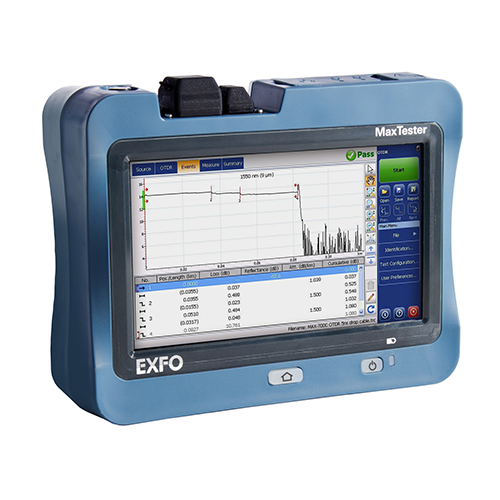
Range Settings:
Long-haul: Opt for a longer-range setting to cover vast distances.
Short haul: Use a smaller range for high-precision analysis of local segments.
What launch and receive cables should I use with my OTDR?
When selecting cables for your OTDR, it's important to use cables that match the fibre type and network specifications. For most OTDR testing, single-mode launch cables work well for long-haul testing, while multimode launch cables are more suitable for short-haul networks. Ensure that the wires are high quality to avoid unnecessary loss to the readings.


FAQs
Why does pulse width matter in OTDR settings?
Pulse width determines the distance the signal can travel before it weakens. Longer pulses are better for long-haul networks, while shorter pulses provide more accurate results over shorter distances.
What range should I set for long-haul OTDR tests?
A longer-range setting (10-80km) is ideal for long-haul networks, as it accounts for signal loss and accurately assesses the entire fibre length.
Can I use the same OTDR settings for both single-mode and multimode fibres?
Generally, no. Single-mode fibres require different OTDR settings than multimode fibres, particularly regarding pulse width and range.
How can I improve accuracy when testing short-haul networks?
For short-haul networks, use a smaller range setting, shorter pulse width, and faster acquisition time to ensure you get detailed readings of nearby faults and connectors.
What should I keep in mind when selecting OTDR launch cables?
Choose launch cables that match the fibre type being tested (single-mode or multimode), and ensure they are long enough to prevent near-end reflections from interfering with the test results.

Optimising your OTDR settings for extended and short-haul networks is critical to ensuring accurate and reliable test results. Adjusting settings like pulse width, acquisition time, and range will allow you to tailor your OTDR's performance to the network you're working with. So, whether you're testing a long, far-reaching fibre route or a local, short-run installation, make sure your settings are up to the task and don't always forget to check your cables.
Do you need help choosing the right cables for your OTDR, or do you have any questions about settings? Contact us at CMW, and we'll help you out.
Do you need help choosing the right cables for your OTDR, or do you have any questions about settings? Contact us at CMW, and we'll help you out.
Related Products
