

How Do I Identify and Fix Ghost Reflections in an OTDR Trace?
Posted on: 15/04/2025
Ghost reflections in an OTDR trace can be frustrating, but the good news is they aren’t real faults in your fibre. These phantom spikes occur due to multiple reflections within the fibre and can trick you into thinking there’s a problem where none exists. The fix? Proper testing techniques, the correct launch and receive cables, and understanding how to interpret your OTDR results correctly.
What Causes Ghost Reflections?
Ghost reflections happen when strong reflections from high-loss events, like connectors or mechanical splices, bounce back and forth within the fibre. The OTDR misinterprets these repeated signals and mistakenly displays them as additional events.
Common causes include:
High reflectance connectors – UPC or APC connectors with significant reflectance can trigger ghosting.
Short fibre lengths – Too short of a fibre under test can cause reflections to bounce multiple times.
Mismatched launch and receive cables – Using cables with different connector types or poor-quality terminations increases the likelihood of ghosting.
How to Identify Ghost Reflections
If you suspect a ghost reflection, here’s how to confirm it:
Check the event distance. Ghosts usually appear at multiples of a highly reflective event.
Look for missing loss. An actual event typically shows a measurable loss, while a ghost reflection has none.
Compare with a different pulse width. If the “fault” moves or disappears when you change pulse settings, it’s likely a ghost.
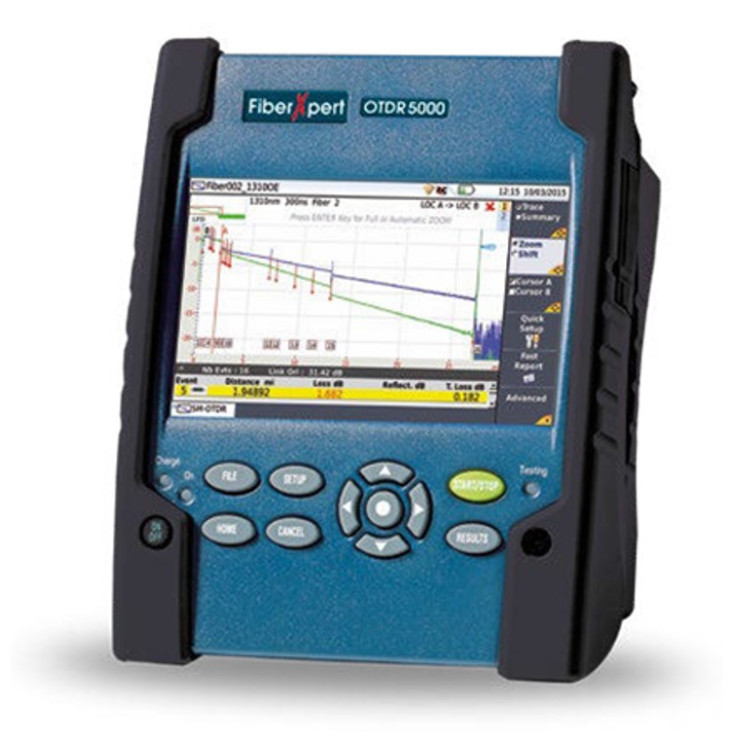
How to Fix Ghost Reflections in OTDR Testing
Use Proper Launch and Receive Cables
A high-quality launch and receive cable helps separate actual events from testing artefacts. CMW recommends:
100m-150m launch cables for single-mode fibre
50m-100m launch cables for multimode fibre
Optimise OTDR Settings
Use the correct pulse width. A more extended pulse width increases power but may exaggerate reflections.
Adjust averaging time. More averaging helps smooth out ghost reflections.
Clean and Inspect Connectors
A dirty or damaged connector can introduce extra reflections, increasing the risk of ghosting. Always clean fibre ends before testing.
Use Angled Physical Contact (APC) Connectors
If ghosting persists, switching to APC connectors (which have an 8-degree angle) reduces reflections compared to flat UPC connectors.


FAQs
What’s the best way to differentiate a ghost reflection from an actual event?
Check for loss; actual events cause attenuation, while ghost reflections do not. Also, try adjusting the pulse width. If the “fault” shifts, it’s a ghost.
Can ghost reflections affect actual fibre performance?
No, ghost reflections are testing artefacts and don’t impact fibre transmission. However, misidentifying them can lead to unnecessary troubleshooting.
Will using a longer launch cable reduce ghost reflections?
Yes, an appropriately sized launch cable helps OTDRs detect actual faults instead of interpreting reflections as ghosting.
Can dirty connectors cause ghost reflections?
A contaminated connector increases reflectance, leading to excessive backscattering and potential ghosting.
Are ghost reflections more common in multimode or single-mode fibre?
Ghost reflections are more common in single-mode fibre due to higher reflectance from connectors and splices.

Final Thoughts
Ghost reflections in an OTDR trace are like those weird shadows in the corner of your eye; they aren’t real, but they can still cause confusion. By using the proper launch and receive cables, optimising OTDR settings, and ensuring clean connectors, you can eliminate ghosting and get accurate test results. Need high-quality OTDR accessories? CMW has you covered.
Related Products
