

How do I reset my DSX-5000 or DSX-8000 if it’s not functioning correctly?
Posted on: 30/04/2025
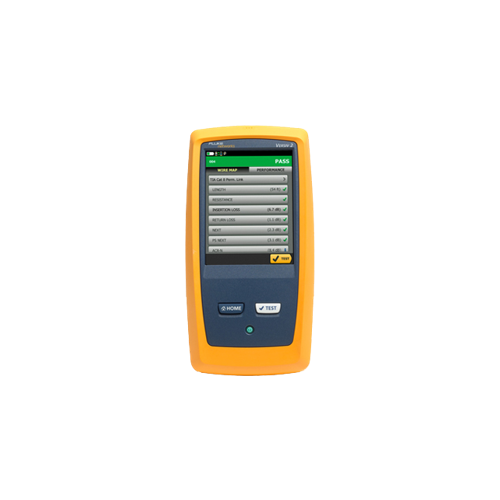
If your DSX-5000 or DSX-8000 cable tester isn't working properly, a reset might be the quickest fix.
Whether it's freezing, displaying incorrect readings, or simply not turning on, performing a reset could resolve these issues and get your tester back in action.
But how do you reset it? Don't worry; it's easier than you might think.
Whether it's freezing, displaying incorrect readings, or simply not turning on, performing a reset could resolve these issues and get your tester back in action.
But how do you reset it? Don't worry; it's easier than you might think.

Step-by-Step Guide to Resetting Your DSX-5000 or DSX-8000
Before diving into complex troubleshooting, try a simple reset. This can be a game-changer, saving you time and effort.
Power Off the Device: Start by turning off your DSX tester. It may seem obvious, but sometimes the most straightforward solutions are the most effective.
Perform a Hard Reset: Hold the power button for about 10 seconds. This forces the device to shut down completely and clears any temporary software glitches.
Power On: After the device has powered off, press the power button again to restart it. Give it a moment to boot up fully.
If this doesn't work, you can also try removing and reinserting the battery (if applicable), or you may need to reset to factory settings.

FAQs
What if the DSX-5000 or DSX-8000 is still malfunctioning after a reset?
If resetting doesn't work, check for any updates or contact technical support. You might be dealing with a deeper issue that needs professional assistance.
How do I back up my data before resetting the device?
You can transfer your test results to a computer or cloud storage via USB or network port. The user manual provides more detailed instructions.
How often should I reset my DSX-5000 or DSX-8000?
Only reset the device when you're experiencing issues. Frequent resets aren't necessary and could harm the device in the long run.
Can I reset the DSX-5000 or DSX-8000 without losing my configurations?
A simple reset will not affect your configurations, but a factory reset will erase all settings and data. Be sure to back up your configurations before doing a factory reset.
Can I reset the DSX-5000 or DSX-8000 using the app?
Some models allow resets through the app, but manual resets from the device are recommended for most issues. Check the app's documentation to see if it supports resets.

Wrapping Up
While it is easy to get frustrated when your DSX-5000 or DSX-8000 isn't functioning correctly, a reset might be all it needs to get back on track.
Whether a simple reboot or a full factory reset, these steps should help you troubleshoot the most common issues.
And remember, when in doubt, don't hesitate to contact us for expert support and equipment rental options.
Related Products
