

What are the Best Practices for Documenting OTDR Test Results for Compliance and Troubleshooting?
Posted on: 07/04/2025
Properly documenting Optical Time Domain Reflectometer (OTDR) test results is crucial for ensuring compliance, maintaining network performance, and making troubleshooting easier. The best approach includes recording accurate test data, using standard formats, and storing the results in a way that allows for easy access. Without good documentation, you might be trying to find a fibre break in the dark.

Capture Accurate Test Data
Your OTDR readings are only as good as the accuracy of your measurements. To ensure reliability:
Use high-quality launch and receive cables to eliminate dead zones.
Set up your OTDR with the correct pulse width and range settings.
Perform multiple tests and compare results to verify consistency.
Label test results clearly with site details, fibre type, and test parameters.
Use Standardised Report Formats
Standardised documentation helps teams and auditors quickly interpret test results. Best practices include:
Following industry-recognised standards like TIA/EIA or ISO/IEC.
Using software-generated reports to avoid manual errors.
This includes event maps, loss measurements, and pass/fail status.
Many OTDRs come with built-in reporting features, but third-party software can enhance the readability and organisation of test results.
Store and Organise Test Results Properly
Imagine needing to retrieve test results from months ago and realising they’re scattered across USB sticks, emails, and sticky notes. To prevent chaos:
Save results in a centralised digital repository (cloud storage, network drives, or test management software).
Maintain an organised file structure by site, date, and fibre type.
Keep backups to avoid data loss.
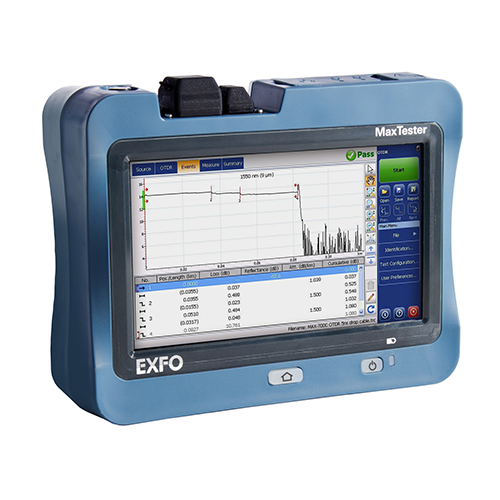
Annotate and Interpret Key Findings
Raw OTDR traces can be complex, so adding notes makes future troubleshooting easier. Consider:
Highlighting significant loss points or reflections.
Marking fibre bends, splices, or connectors for easy identification.
Comparing results with baseline tests to detect degradation over time.
Ensure Compliance with Industry Standards
For installations requiring certification, proper documentation is a must. Follow these guidelines:
Cross-check results against project specifications and compliance requirements.
Generate reports that meet contractual obligations for clients.
Keep historical records for regulatory audits.
Raw OTDR traces can be complex, so adding notes makes future troubleshooting easier. Consider:
Highlighting significant loss points or reflections.
Marking fibre bends, splices, or connectors for easy identification.
Comparing results with baseline tests to detect degradation over time.
Ensure Compliance with Industry Standards
For installations requiring certification, proper documentation is a must. Follow these guidelines:
Cross-check results against project specifications and compliance requirements.
Generate reports that meet contractual obligations for clients.
Keep historical records for regulatory audits.


FAQs
What’s the best format for storing OTDR test results?
PDF and native OTDR formats (like .sor files) are ideal. PDFs make reports easily shareable, while. Sor files allow for detailed analysis.
How long should I keep OTDR test records?
Most companies retain records for at least five years for compliance reasons, but longer storage is advisable for large-scale projects.
What launch and receive cables should I use with my OTDR?
It depends on your fibre type, but typically, single-mode fibres require launch cables of 150m to 1km, while multimode fibres work with shorter cables around 100m.
How can I make my OTDR reports more user-friendly?
Use clear labels and structured summaries, and highlight key measurements with colour-coded pass/fail indicators.
Can I automate OTDR test documentation?
Yes! Many OTDR software solutions offer automated reporting features, allowing easy report generation, storage, and sharing.

Final Thoughts
Proper OTDR documentation isn’t just about ticking compliance boxes, it’s about creating a roadmap for efficient troubleshooting and long-term network health. Whether you’re a data installer or an electrician, taking the time to document results accurately will save you from future headaches. Think of it as leaving breadcrumbs for your future self, except instead of breadcrumbs, it’s a neatly organised, audit-ready OTDR report.
Related Products
