

How do I resolve poor connection errors even when the patch cord is securely plugged in?
Posted on: 07/04/2025
It's frustrating. You check the plug and push it in again, but the dreaded poor connection error won't disappear.
The good news is that it's not necessarily your fault. The bad news is that there could be several reasons why this is happening.
Here's a quick guide to diagnosing and fixing the issue so your network can run smoothly again.
The good news is that it's not necessarily your fault. The bad news is that there could be several reasons why this is happening.
Here's a quick guide to diagnosing and fixing the issue so your network can run smoothly again.
Possible Causes & Fixes
Patch Cord Quality Matters
Not all patch cords are created equal. Cheap, low-quality cables can degrade over time, leading to poor performance. If you're experiencing intermittent connection issues, try swapping out the patch cord for a certified, high-quality one.
Connector Wear and Tear
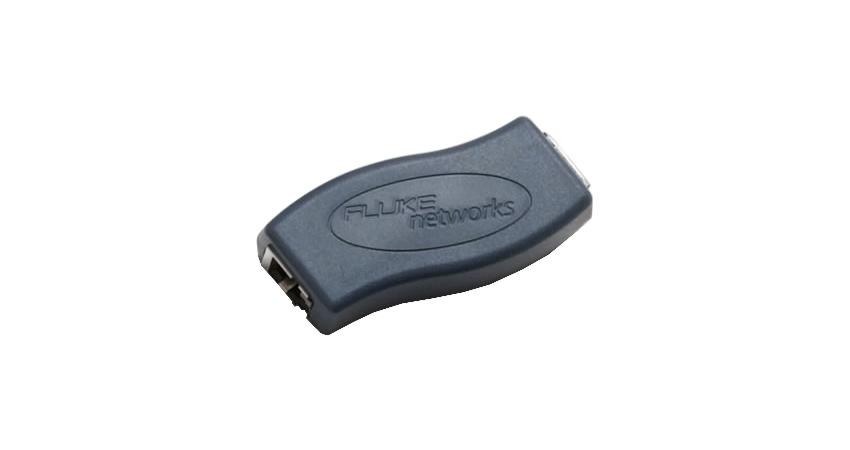
Even if the patch cord looks fine, the connectors may wear out. Over time, repeated plugging and unplugging can cause microscopic damage, reducing signal quality. Using a Patch Cord Adaptor can help diagnose if the issue is with the connector.
Dirty or Contaminated Connectors
A little bit of dust can wreak havoc on your network. Dirty connectors can cause poor signal transmission, leading to errors.
Use Fluke Networks' Fibre Optic Cleaning Kits to remove dust and debris.
Inspect connectors with a fibre inspection scope before plugging them in.
Mismatched Patch Cords and Ports
Using the wrong type of patch cord can create compatibility issues. Are you mixing Cat5e with Cat6 or using the wrong fibre optic patch cord?
Double-check that your patch cords match the specifications of your network.
Testing with OTDR and Patch Cord Adaptors
If you still see errors, it's time to break out the big guns, Fluke Networks OTDR testers. With the proper launch and receive cables, you can pinpoint where the issue lies and rule out problems within the network infrastructure.

FAQs
How do I know if my patch cord is faulty?
Use a cable tester like Fluke Networks' MicroScanner to check for continuity and potential damage in the cable.
Can a bad switch port cause a poor connection error?
Yes! Try plugging the patch cord into another port on the switch. If the issue disappears, you may have a faulty port.
Why does my fibre optic connection have errors despite a clean connector?
It could be due to connector end-face damage. Use an inspection scope to check for scratches or cracks.
Should I always use shielded patch cords?
Not necessarily. Shielded cables help in high-interference environments, but for ielded twisted pair (UTP) is often sufficient.
What's for standard installations the best way to prevent poor connection errors in the future?
Use high-quality patch cords.
Regularly inspect and clean connectors.
Test cables periodically with professional tools like Fluke Networks testers

Poor connection errors can be a real headache, but they're usually fixable with a bit of troubleshooting.
Whether it's a worn-out connector, a mismatched cable, or some sneaky dust particles, following these steps will help get your network back up to speed.
If all else fails,, maybe it's time to invest in better test equipment (because,, let's be honest, guessing isn't exactly an IT strategy).
Whether it's a worn-out connector, a mismatched cable, or some sneaky dust particles, following these steps will help get your network back up to speed.
If all else fails,, maybe it's time to invest in better test equipment (because,, let's be honest, guessing isn't exactly an IT strategy).
Related Products
