

What Can I Do If My Fusion Splicer Isn’t Turning on or Won’t Start?
Posted on: 07/04/2025
If your fusion splicer isn’t turning on or won’t start, don’t panic just yet. You can take a few simple troubleshooting steps before you call for professional help. Often, the issue can be as fundamental as a dead battery, incorrect settings, or a simple connection issue. Here are a few things to check before assuming the worst.

Check the Power Supply
First, ensure that your fusion splicer is adequately charged or plugged in. It might sound simple, but sometimes the power issue is nothing more than a low battery or loose connection.
Charge the battery: Give it a full charge if your splicer runs on a rechargeable battery.
Check the power cord: If you’re using an AC adapter, ensure it’s securely connected to both the device and the power source.
Inspect the Display Panel and Settings
Sometimes, a fusion splicer might be powered on, but its display doesn’t show anything due to incorrect settings. Check for:
Brightness settings: Ensure the display is not dimmed to be unreadable.
Error messages: Fusion splicers often have built-in diagnostics. Check for error codes or alerts on the screen, as they can directly point you to the problem.
Reset the Device
If everything seems in order, but the fusion splicer still won’t start, consider performing a reset. Many fusion splicers have a soft reset function that can clear temporary glitches.
Power cycle: Turn off the splicer, remove the battery (if possible), wait 30 seconds, and then power it back on.
Hard reset: If the device still doesn't respond, consult the manufacturer’s manual for instructions on how to perform a hard reset.
Check for Faulty Parts
Next, inspect the fusion splicer for any signs of physical damage. Things to look for include:
Loose cables: Ensure all cables, including the fibre holder and power cord, are firmly connected.
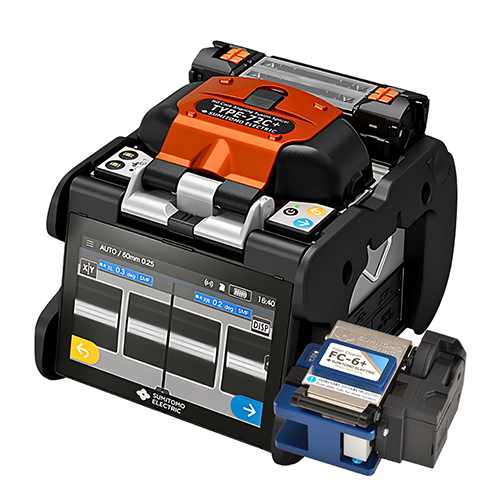
Damaged components: Check the splicer’s electrodes and alignment. Wear and tear can sometimes prevent the unit from powering on.
Consult the Manual or Manufacturer
If none of the above steps resolve the issue, consult the manual or contact the manufacturer. Many splicer models have troubleshooting sections that can help you pinpoint the problem. If your unit is under warranty, the manufacturer can help you with a repair or replacement.
Hire a Professional or Rent Another Unit
If your fusion splicer is still unresponsive after trying everything, consider renting a replacement unit while your device is being repaired. At CMW, we offer flexible equipment hiring options so you don’t lose valuable time dealing with technical issues.

FAQs
Why isn’t my fusion splicer turning on?
The most common reasons include a dead battery, improper connections, or an issue with the power supply. Check the battery, power cord, and connections before assuming a more serious problem.
What should I do if my fusion splicer shows an error message?
Check the manufacturer’s manual for guidance on specific error codes. You may need to reset the device or fix a particular component related to the error.
Can I fix a fusion splicer myself?
Basic troubleshooting, like checking power connections, resetting the unit, or inspecting for physical damage, can often solve the issue. However, for more complex problems, professional repair or consultation may be necessary.
How can I prevent issues with my fusion splicer?
Regular maintenance and careful handling can extend the life of your fusion splicer. Always store it in a safe, dry place, and perform periodic cleaning to ensure optimal performance.
Can I rent a fusion splicer from CMW?
Yes, CMW offers rental options for high-quality fusion splicers. Renting is a cost-effective way to ensure you have reliable equipment when needed, especially in case of a malfunction.

We always recommend having a backup fusion splicer in your toolkit. A malfunctioning splicer can delay projects, and having a spare unit on hand can prevent unplanned downtime. Also, renting a high-quality fusion splicer when needed is a great option to keep your operations running smoothly.
Related Products
