

What Causes the Fusion Splicer to Produce a "Splice Failed" Result, and How Can I Resolve It?
Posted on: 27/03/2025
If you've been using a fusion splicer and encountered a "splice failed" result, you're not alone. It's a common issue that can be frustrating, especially when you're in the middle of a crucial project. So, what exactly causes this error, and how can you fix it? Let's dive into the details.
What is a Fusion Splicer?
A fusion splicer is a specialised tool used in fibre optic installations to combine two fibre strands. This process ensures minimal signal loss and maintains high-performance connectivity in data and voice networks.
When you get a "splice failed" message, it means that the splicing process didn't go as planned and the fibre ends weren't fused correctly. There are several reasons for this, and understanding them will help you troubleshoot the problem effectively.
Common Causes of "Splice Failed"
Dirty Fiber Ends: Dirty fibre ends are one of the most common culprits for a failed splice. Any dust or oil on the fibre surface can prevent a proper connection. Always clean the fibre before performing a splice using a lint-free wipe and alcohol.
Improper Fibre Alignment: If the fibres aren't aligned correctly, the splicer won't be able to fuse them properly. This is a simple issue: ensure that both fibre ends are securely positioned in the splicer holder.
Incorrect Fibre Preparation: Cutting the fibre too short or at an improper angle can lead to splice failure. When preparing the fibre, ensure the cut is clean, and the length is appropriate for splicing.
Fibre Contamination: Fibre contamination (such as skin oils or dust) during handling can ruin the splice. Always use gloves when handling fibres and ensure the work area is clean.
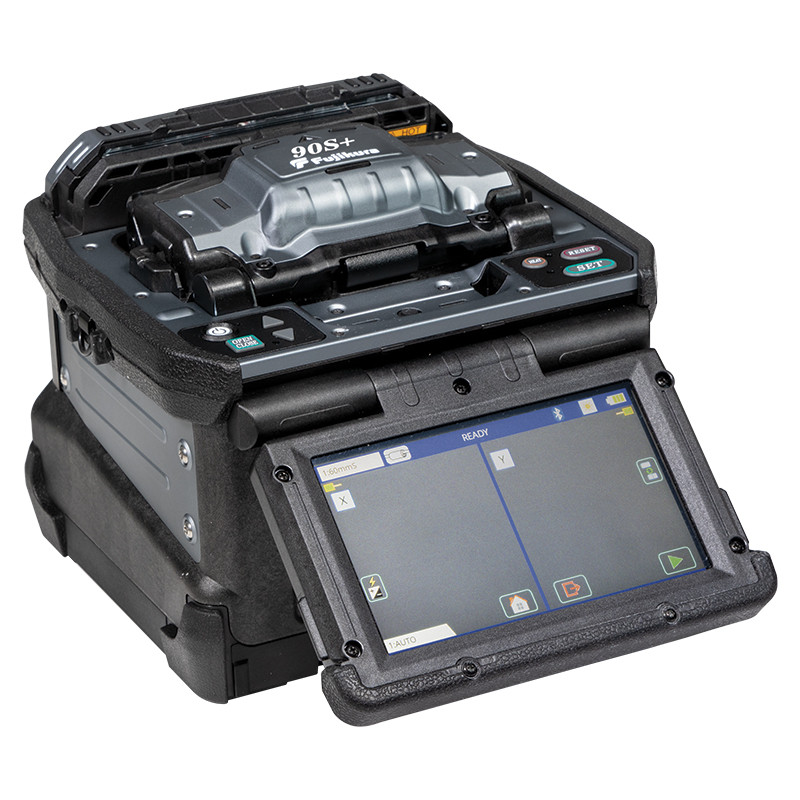
Faulty Splicer Settings: Sometimes, the splicer settings may not match the type of fibre you're using. Always check that the splicer is set to the correct parameters for the fibre type (single-mode or multi-mode).
Damaged Fibre: If the fibre itself is damaged, whether from stress, bending, or an external impact, it may not splice correctly. Inspect the fibre before attempting any splicing.
How to Resolve the "Splice Failed" Issue
Clean the Fibre Ends: Regularly clean both fibres before each splice. Using fibre cleaning tools can help remove any contaminants.
Check Fibre Alignment: Ensure both fibres are correctly aligned in the splicer. Most fusion splicers have guides to help you position the fibres accurately.
Ensure Proper Fibre Prep: Ensure the fibre is cut cleanly and at the right angle. Some splicers come with cleaving tools to make this step easier.
Adjust Splicer Settings: Check the settings on your fusion splicer and ensure that it's calibrated for the type of fibre you're working with. Some splicers will automatically adjust, but it's still important to verify.
Inspect for Fibre Damage: Before splicing, look over the fibre for cracks or kinks. If it is damaged, replace it with a new one.


In the world of fibre optic installations, every splice matters. A good splice is one where the loss is as minimal as possible. Don't rush the process if you get a "splice failed" message. Step back, check the basics, and keep your work area clean and organised.
Related Products
