

Why Is My OTDR Trace Blank? Common Setup Mistakes and Fixes
Posted on: 08/04/2025
Why Is My OTDR Trace Blank?
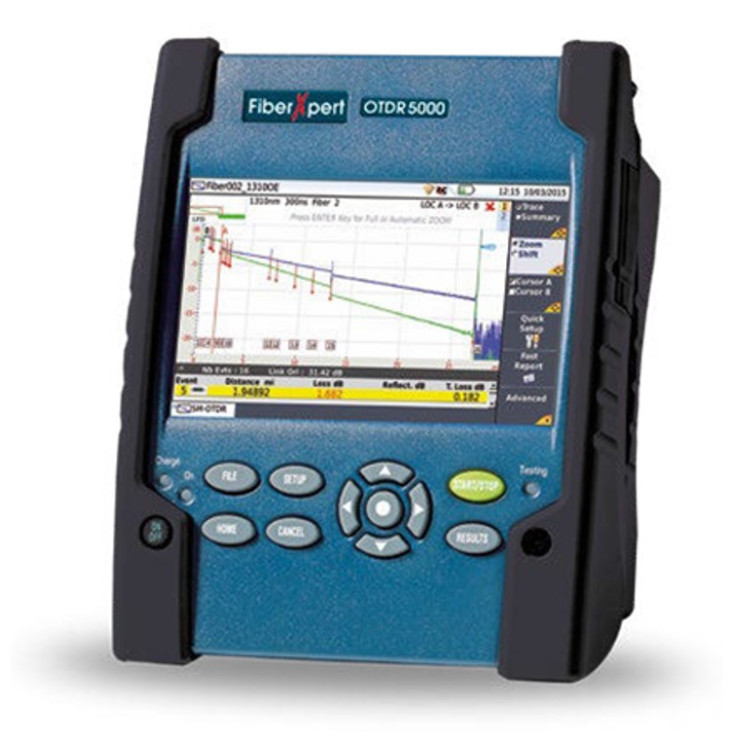
So, you've connected your Optical Time Domain Reflectometer (OTDR), pressed the test button, and nothing. It's a blank screen with no trace, reflection, or events. Take a deep breath before you panic and assume the worst (like a faulty device or a wholly broken fibre). Often, a blank OTDR trace is caused by a simple setup mistake.
Let's go through the common reasons why this happens and how to fix them.

Common OTDR Setup Mistakes & How to Fix Them
Incorrect Launch or Receive Cable Setup
OTDRs require a launch cable to measure the characteristics of a fibre link correctly. Without it, the OTDR might be unable to detect the first connection, leading to a blank trace.
Fix: Always use a high-quality launch cable that matches the fibre type you're testing (single-mode or multimode). A receive cable can also help identify the end connection.
The OTDR Isn't in the Right Mode
Some OTDRs have multiple testing modes (Auto, Expert, Real-time, etc.). If your device is set to an incompatible mode or uses incorrect parameters, it may fail to detect the fibre properly.
Fix: If unsure, start in Auto Mode, which adjusts your settings. For more control, set the test wavelength (e.g., 1310nm or 1550nm for single-mode) and ensure the pulse width isn't too short or too long.
Poor Fibre Connection or Dirty Connectors
A bad connection between the OTDR, launch cable, or test fibre can result in no signal being sent down the fibre, causing a blank trace.
Fix: Inspect and clean all connectors before testing. Even a tiny bit of dust can block the signal. For best results, use fibre optic cleaning wipes or a one-click cleaner.
Dead Zone Confusion
If your launch cable is too short, the OTDR's dead zone (the area immediately after the OTDR where reflections are too strong to be detected) may cause your first fibre event to be missed.
Fix: Use a launch cable long enough to overcome the OTDR's dead zone—typically 150m or longer, depending on the OTDR.
Faulty Fibre or Complete Break in the Line
If the fibre is wholly severed right at the start, the OTDR may not register any events, resulting in a blank trace.
Fix: Try testing with a different launch cable and using a Visual Fault Locator (VFL) to check if light is passing through. If there's no visible light, there may be a severe break.


FAQs
What launch and receive cables should I use with my OTDR?
You should use high-quality fibre optic launch cables that match the tested fibre type. Single-mode testing requires single-mode launch cables (usually yellow), while multimode testing requires multimode cables (orange or aqua).
Why does my OTDR trace look noisy instead of blank?
This usually happens due to a low dynamic range setting or excessive noise from a long-distance test. To get a clearer trace, try increasing the pulse width and using averaging.
How is my OTDR set to the correct parameters?
Most OTDRs have Auto Mode, which automatically selects the correct parameters. If you manually set it, ensure the wavelength, pulse width, and range are correct for your fibre type and distance.
Can I test fibre links without a launch cable?
Technically, yes, but you shouldn't. Without a launch cable, you won't be able to see the first connector loss or measure accurate insertion loss.
What should I do if my OTDR still shows no trace after these fixes?
Try a different launch cable and OTDR settings, and clean your connectors again. If the issue persists, test the fibre with a VFL or a power meter to check for signal loss.

Final Thoughts
A blank OTDR trace can be frustrating, but in most cases, the fix is simple. Whether it's a bad connection, incorrect settings, or an overlooked launch cable, following these steps will help you get accurate test results.
Still struggling? At CMW, we provide expert advice, top-quality OTDR accessories, and launch cables to ensure smooth fibre testing. Contact us today.
Related Products
