

How do I avoid overloading cable trays or conduit systems?
Posted on: 30/05/2025
If you’re wondering how to avoid overloading cable trays or conduit systems, the short answer is: plan ahead, choose the right size containment, and resist the temptation to “just squeeze in a few more cables.”
Overloading isn’t just an aesthetic issue, it can lead to overheating, signal interference, difficult maintenance, and even compromised safety.
Whether you’re working on a large-scale structured cabling system or upgrading network cabling infrastructure in a small office, proper cable management is critical for long term performance and scalability.
Overloading isn’t just an aesthetic issue, it can lead to overheating, signal interference, difficult maintenance, and even compromised safety.
Whether you’re working on a large-scale structured cabling system or upgrading network cabling infrastructure in a small office, proper cable management is critical for long term performance and scalability.

Why overloading happens (and what it causes)
Overloading is often the result of last-minute changes, scope creep, or undersized cable containment systems. It may seem harmless at first, but the effects can build up fast:
Reduced airflow around cables
Increased heat and potential fire risk
Difficulties tracing or replacing cables
Strain on RJ45 connectors and fibre optic cable
Failure to meet standards or inspection criteria
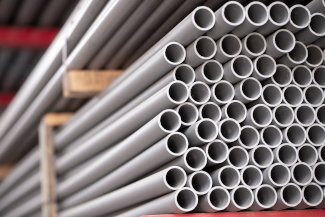
How to avoid overloading your cable containment
Here are a few practical tips to help you get it right:
Design with future growth in mind
When planning structured cabling systems, use cable management products that provide more capacity than your immediate needs. Aim to fill only 40–50% of your cable trays or trunking initially, leaving space for future upgrades.
Choose the right size cable trays and trunking
Selecting containment that’s too small is one of the most common (and costly) mistakes. Oversize slightly, it’s better to have breathing room than a spaghetti junction of patch leads.
Separate data and power cabling
Avoid electromagnetic interference by using separate cable containment systems for power and data. For example, keep fibre optic cable and network cabling separate from high-voltage lines using divided trunking or separate conduits.
Label, document, and use accessories wisely
Good cable management isn’t just about containment; it’s also about accessibility. Use patch panels, data cabinet accessories, and clear labelling to avoid chaos down the line.
Support cables properly
Use ladder trays, wire mesh baskets, and other support systems to prevent cables from sagging or bunching up. Regular support intervals reduce mechanical stress and preserve signal integrity.
Think of a cable tray like a suitcase. Sure, you can sit on it and zip it shut, but that doesn’t mean you should. Overstuffed trays might work for now, but they’re not built to take the strain long-term.


FAQs
What’s the recommended fill capacity for cable trays?
Most standards recommend keeping the fill capacity between 40–50% to allow for airflow and future additions.
Can I run power and data cables in the same tray?
No, power and data should always be separated to prevent interference. Use separate conduits or compartmentalised trunking systems.
How do I know if my conduit system is overloaded?
Signs include overcrowded trays, cables bulging or sagging, excessive heat buildup, and poor cable performance.
What are the best practices for cable separation?
Separate by type (power, data, fibre), use dividers or barriers, and always follow manufacturer guidelines for bend radius and clearance.
Are there tools or accessories that help with cable management?
Yes, look for cable containment systems, wall mounted racks, Velcro ties, cable markers, and floor boxes for cabling to maintain organisation and accessibility.

Final thoughts
Avoiding overloads in cable trays and conduit systems comes down to smart planning, correct sizing, and good habits during installation. Cable containment isn’t just about keeping things neat, it’s about protecting the integrity of your network and ensuring that future changes don’t turn into costly rewires.
By investing time in proper layout and using the right cable management products, you can keep your network cabling infrastructure efficient, scalable, and safe.
Related Products
