

What’s the Best Way to Test Short Fibre Links Without Overloading the OTDR?
Posted on: 12/05/2025
An Optical Time-Domain Reflectometer (OTDR) can be an invaluable tool for testing short fibre links.
But what happens when you're working with short fibre runs? Overloading your OTDR can lead to inaccurate results and wasted time and effort. How do you ensure that your OTDR works optimally without causing any issues?
The answer is simple: reduce the pulse width. Adjusting the pulse width to a lower setting ensures that the OTDR doesn't send a pulse too large for short fibre links. This reduces the risk of overloading the OTDR and improves measurement accuracy.
But what happens when you're working with short fibre runs? Overloading your OTDR can lead to inaccurate results and wasted time and effort. How do you ensure that your OTDR works optimally without causing any issues?
The answer is simple: reduce the pulse width. Adjusting the pulse width to a lower setting ensures that the OTDR doesn't send a pulse too large for short fibre links. This reduces the risk of overloading the OTDR and improves measurement accuracy.

Why Does the Pulse Width Matter?
The pulse width setting on an OTDR controls the amount of light sent through the fibre. On longer fibre runs, the OTDR needs a higher pulse width to reach further distances. However, on shorter fibre runs, this increased pulse can overload the instrument and mask the reflections from the fibre ends. Reducing the pulse width helps the OTDR detect these reflections properly.
Key Tips for Testing Short Fibre Links
Adjust Pulse Width: Reducing the pulse width is crucial when testing short fibre links. This setting can typically be adjusted in the OTDR's settings and will make all the difference.
Use the Correct Range: Use the appropriate fibre length range. Too broad a range will cause your OTDR to misinterpret data from shorter fibres.
Close the Dead Zone: The "dead zone" is a region near the OTDR where it cannot detect any signal. For short fibre links, this can be a real issue. Look for OTDRS with a smaller dead zone to get more accurate readings near the source.
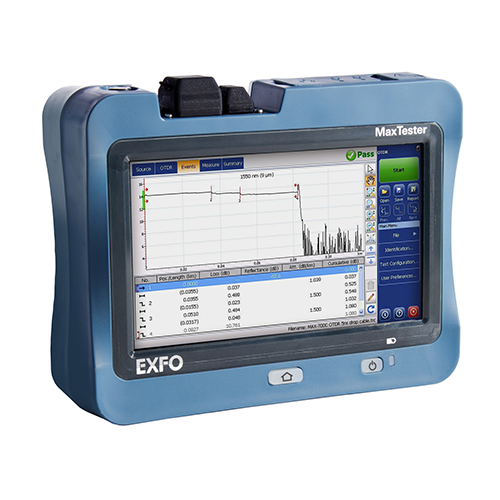
Regular Calibration: Keep your OTDR calibrated for best results. Over time, any device, including OTDRS, may need fine-tuning to maintain accuracy.
Example Scenario
Imagine you're testing a 10-meter fibre link. If your OTDR has a high pulse width setting intended for long-distance measurements, it could read nothing or give erroneous results. Switching the pulse width to a lower setting lets you get precise readings and quickly determine if the fibre is performing as expected.
Too High Pulse Width: A common mistake is leaving the pulse width too high, which can cause overloading, especially when testing short links.
Incorrect Range: Using an excessively wide range for short fibres will only complicate things and make it harder to analyse results.
Example Scenario
Imagine you're testing a 10-meter fibre link. If your OTDR has a high pulse width setting intended for long-distance measurements, it could read nothing or give erroneous results. Switching the pulse width to a lower setting lets you get precise readings and quickly determine if the fibre is performing as expected.
Common Pitfalls to Avoid
Too High Pulse Width: A common mistake is leaving the pulse width too high, which can cause overloading, especially when testing short links.
Incorrect Range: Using an excessively wide range for short fibres will only complicate things and make it harder to analyse results.


FAQs
Why should I adjust the pulse width when testing short fibre links?
Adjusting the pulse width helps to avoid overloading the OTDR, ensuring more accurate results when testing short fibre links.
What is the "dead zone" in an OTDR?
The dead zone is near the OTDR where it cannot detect reflections. Using an OTDR with a smaller dead zone for short fibre links can give better results.
How often should I calibrate my OTDR?
Regular calibration of your OTDR is essential to ensure its accuracy. Depending on usage, it's best to calibrate at least once a year or after significant use.
Can I use any OTDR for short fibre testing?
Not all OTDRS are suitable for short fibre links. For best results on short fibres, look for models with adjustable pulse widths and small dead zones.
How do I know if my OTDR is overloading?
If your readings are inconsistent or you're not getting any data, the OTDR may be overloaded. Reducing the pulse width and adjusting other settings should fix this issue.

In short, the best way to test short fibre links without overloading the OTDR is to adjust the pulse width appropriately.
With the correct settings, you can ensure accurate readings and prevent frustration in your testing process.
If you're still unsure, consult your OTDR's manual or hire equipment from companies like CMW for the most up-to-date tools that suit your needs.
Related Products
