

How can I prevent my wireless network from dropping connections intermittently?
Posted on: 01/05/2025
Intermittent wireless network dropouts are usually caused by interference, overloaded access points, outdated hardware, or poor network design.
Fixing them means looking at your network infrastructure, upgrading where necessary, and making sure your wireless networking solutions are tailored to your space and usage.
Fixing them means looking at your network infrastructure, upgrading where necessary, and making sure your wireless networking solutions are tailored to your space and usage.

Why is my business Wi-Fi being flaky?
There’s nothing worse than being in the middle of an important Zoom call or uploading a huge file when, bam you’re disconnected.
Your business Wi-Fi should be rock solid, especially in environments where productivity is everything.
Some of the most common culprits for these issues are:
Signal interference from other devices or neighbouring Wi-Fi networks
Access points that are too few and far between
A congested frequency band (we’re looking at you, 2.4GHz)
Overloaded hardware trying to serve too many users or devices
Firmware that hasn’t been updated since dinosaurs roamed the Earth
What can I do to prevent the dropouts?
Here’s a breakdown of actions you can take to keep your wireless network stable:
Invest in enterprise-grade access points
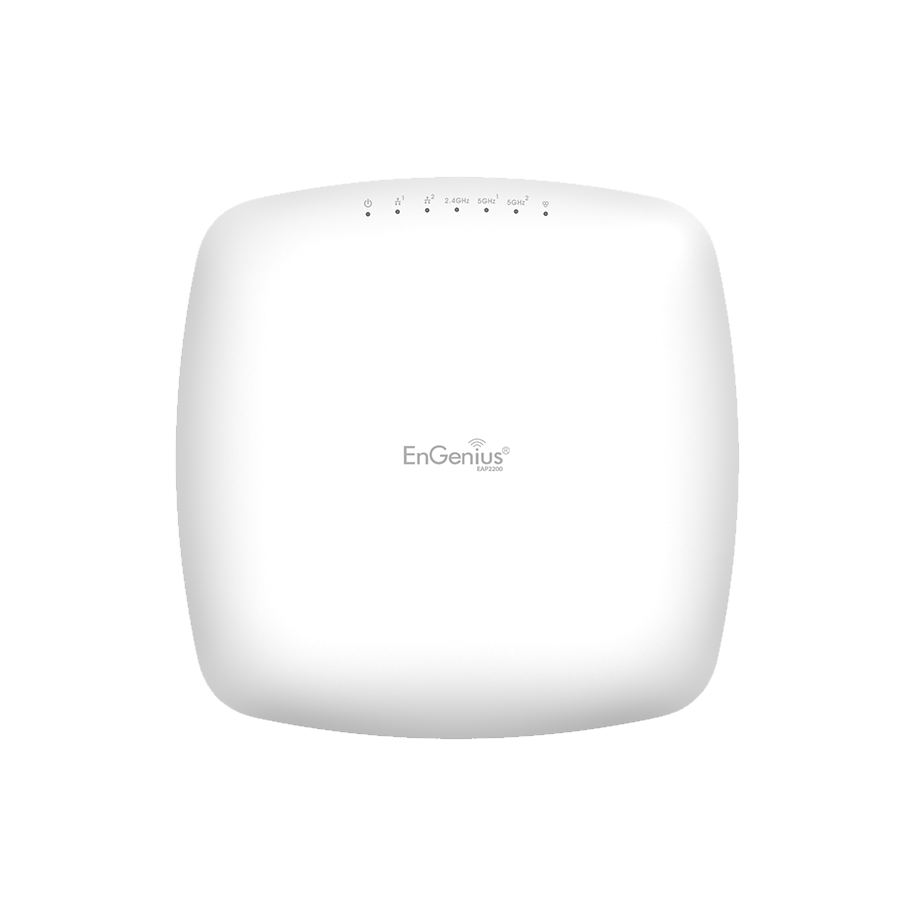
Don't rely on the same router your mate uses at home. In corporate networking, reliable network deployment means choosing access points built for multiple simultaneous connections and prioritising traffic where needed.
Pro tip: Products like Ubiquiti, Meraki or EnGenius Networks are favourites among installers for good reason.
Your site might need more access points, or better-placed ones. Do a proper wireless site survey or use heat mapping tools to identify weak zones.
Think of it like laying out a speaker system: no one wants the volume up high in one corner and silence everywhere else.
Split traffic with multiple SSIDs
Create separate networks for guests, staff, and IoT devices. This reduces bandwidth hogging and keeps your core traffic more stable.
Use dual-band or tri-band routers
2.4GHz has longer range, but 5GHz gives faster speeds and less interference. Tri-band? Even better for high-density setups.
Regularly update firmware and monitor performance
Manufacturers often release firmware updates that fix bugs, improve stability, and boost performance. Plus, real-time monitoring tools help you catch bottlenecks before your users do.
Pro tip: Products like Ubiquiti, Meraki or EnGenius Networks are favourites among installers for good reason.
Review your wireless layout
Your site might need more access points, or better-placed ones. Do a proper wireless site survey or use heat mapping tools to identify weak zones.
Think of it like laying out a speaker system: no one wants the volume up high in one corner and silence everywhere else.
Split traffic with multiple SSIDs
Create separate networks for guests, staff, and IoT devices. This reduces bandwidth hogging and keeps your core traffic more stable.
Use dual-band or tri-band routers
2.4GHz has longer range, but 5GHz gives faster speeds and less interference. Tri-band? Even better for high-density setups.
Regularly update firmware and monitor performance
Manufacturers often release firmware updates that fix bugs, improve stability, and boost performance. Plus, real-time monitoring tools help you catch bottlenecks before your users do.


FAQ
How many access points does my office need?
That depends on your space, wall materials, and number of users. A good rule of thumb is one AP per 25-30 users or every 1,500–2,000 square feet – but a site survey gives a more accurate answer.
Can my wireless network handle more staff as we grow?
Only if it's designed with network scalability in mind. Choose equipment that can grow with your business and allow you to add new APs without a full redesign.
Should I use Wi-Fi extenders?
They can help at home, but in enterprise settings, mesh networks or additional access points offer better performance and stability.
Could electrical equipment be interfering with Wi-Fi?
Yes, microwaves, cordless phones, and even some LED lighting can wreak havoc on your signal. Keep access points clear of these where possible.
Let’s wrap it up (before the Wi-Fi drops out)
A stable wireless network is the backbone of any productive business and if yours keeps cutting out, it’s more than a minor nuisance. It’s a threat to workflow, collaboration, and maybe even your sanity.
At CMW, we help businesses across the UK design and source enterprise networking solutions that work, without the guesswork. Oour range of hardware and friendly support makes building a robust, scalable wireless network that much easier.
Related Products
