

How can I test wireless signal strength and coverage?
Posted on: 30/05/2025
You grab the right wireless test equipment, walk through your space and pay close attention to what your network is telling you.
Whether you're installing a new system or troubleshooting an existing one – wireless coverage testing is essential to ensure reliable connectivity.
And let’s be honest – nothing tests your patience like dodgy Wi-Fi at the worst possible moment.
Whether you're installing a new system or troubleshooting an existing one – wireless coverage testing is essential to ensure reliable connectivity.
And let’s be honest – nothing tests your patience like dodgy Wi-Fi at the worst possible moment.
Why bother testing in the first place?
Wireless infrastructure testing isn't just about checking boxes it’s about:
Avoiding dead zones that kill productivity
Ensuring signal strength across every corner of a site
Diagnosing interference before users start blaming their devices or you
Tools of the trade – What should you use?
For a solid wireless performance testing setup, here are a few must-haves:
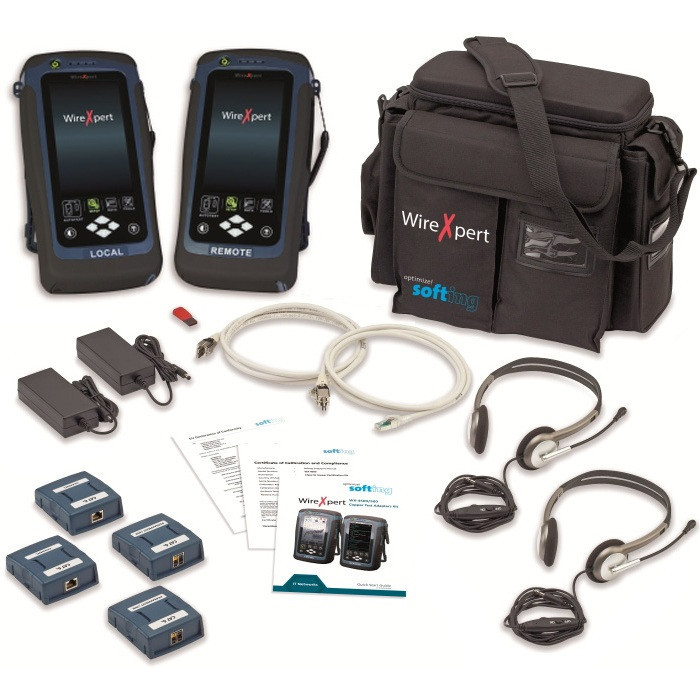
RF testing tools - These let you measure signal to noise ratio interference and overall signal quality
Wi-Fi analyzers – Perfect for site surveys, spotting overcrowded channels or weak spots
Heatmapping software – This visually maps out where your signal is strong or struggling it’s like giving your Wi-Fi a fitness tracker
Many professionals turn to trusted brands like Fluke Networks, Ekahau and NetAlly for their wireless communication diagnostics, but the best solution depends on the site, budget and your end goal.
Common challenges you might face
Thick walls – metal obstructions or even fish tanks can interfere with signal
Overlapping networks causing channel congestion
Misplaced access points that look great on paper but not so much in practice
Pro tip: If your AP is hiding behind a filing cabinet or ductwork it's basically playing hide and seek with your devices.
Make wireless testing part of your routine
Whether you're a data installer electrician or supplying test equipment to end users integrating regular wireless network testing into your service can save heaps of time and client frustration down the road.
Here’s a simple workflow:
Perform a baseline site survey pre-installation
Test again post-installation to verify coverage
Schedule follow-ups or offer diagnostics as part of a maintenance package

FAQs
What’s the difference between Wi-Fi testing and RF testing?
Wi-Fi testing looks specifically at wireless network performance like signal strength and throughput while RF testing digs into radio frequency behaviour including interference from other wireless devices.
How do I create a wireless heatmap?
Use tools like Ekahau or NetSpot walk the site with your laptop or tablet and the software will generate a visual representation of signal strength throughout the building.
Can a smartphone app be used for wireless testing?
Sure – there are plenty of apps like WiFi Analyzer (Android) or AirPort Utility (iOS) – but these offer limited depth compared to professional wireless test equipment.
How often should I test my wireless network?
At minimum before and after installation. For high-traffic or mission critical environments quarterly or bi-annual testing is ideal.
What are the most common causes of poor wireless coverage?
Physical obstructions interference from other devices poorly placed access points and overloaded networks are the usual suspects.

Final thoughts
Wireless testing solutions aren't just for the big jobs they’re essential tools that help installers electricians and tech-savvy end users get the most out of their networks.
By investing time into proper wireless signal analysis and performance testing you're building a stronger more reliable foundation for communication.
And remember even the best Wi-Fi can’t fix a signal blocked by a wall of concrete and crushed dreams.
Related Products
