

Why is my wireless network not supporting high-bandwidth applications like video conferencing or VoIP?
Posted on: 29/05/2025
Why is my wireless network not supporting high-bandwidth applications like video conferencing or VoIP?
In short, your wireless network likely isn’t keeping up with modern bandwidth demands due to outdated technology, poor configuration, or simply not being designed with high-density or high traffic use in mind. Applications like Zoom or Teams rely heavily on real-time data, and when your Wi-Fi can’t deliver consistent, low-latency performance, they start to stutter, literally.
Let’s dig a little deeper into why your video calls keep freezing mid-sentence or your VoIP lines sound like they’ve been routed through Mars.

Common Culprits Behind Poor Wireless Performance
Outdated Wi-Fi Standards
Still using Wi-Fi 4 (802.11n) or even Wi-Fi 5 (802.11ac)? These older standards can’t handle the heavy lifting that video conferencing or VoIP demand today. Wi-Fi 6 technology (802.11ax) is built for modern networks, faster speeds, more devices, better efficiency. It’s like upgrading from a pushbike to a motorbike.
Poor Wireless Network Design
Even the fastest access point won’t help if it's poorly placed. Business wireless networks need to be strategically mapped. Walls, microwaves, and even fish tanks can interfere with your signal. Yes, Barry’s tropical aquarium could be sabotaging your next Zoom call.
Lack of Scalability
As businesses grow, networks need to scale. If you’ve added more users, devices, or cloud apps without upgrading your network infrastructure, you’re setting the stage for lag. Wireless network scalability should never be an afterthought.
Overloaded Access Points
One wireless access point can only handle so much. If everyone in the office is streaming, uploading, or syncing, it’s only a matter of time before performance drops. Think of it like a single barista trying to serve an entire office at 9am, someone's coffee (or connection) will suffer.
Inadequate Security
Wireless network security isn’t just about keeping hackers out; it’s about maintaining performance. Unsecured networks can become a playground for freeloaders or malicious traffic, both of which slow your network to a crawl.
How to Fix It
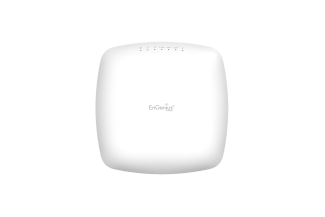
Upgrade to Wi-Fi 6
Investing in Wi-Fi 6 access points can significantly improve throughput, reduce latency, and support more simultaneous connections without slowing down.
Use Mesh Networking
Mesh networking eliminates dead zones by spreading multiple nodes across your premises, creating a seamless and strong connection everywhere you need it. Perfect for larger offices or oddly shaped spaces.
Move to Cloud-Based Network Management
Cloud-managed wireless lets you monitor and manage performance in real time, troubleshoot issues remotely, and easily roll out updates. Cloud Wi-Fi solutions are especially helpful for businesses with multiple sites.
Get a Professional Wireless Network Installation
DIY setups are fine for home, but business networks need expertise. A professionally installed network ensures the right cabling, placements, and configuration are in place from day one.


FAQs
What is the best Wi-Fi standard for business use?
Wi-Fi 6 (802.11ax) is currently the best option for businesses. It supports higher throughput, better efficiency, and handles multiple devices better than previous generations.
Can mesh networking work in an office environment?
Absolutely. Mesh networking is ideal for eliminating coverage gaps in large or multi-floor office environments, offering seamless connectivity.
How do I know if my access points are overloaded?
Signs include frequent dropouts, slow speeds during peak times, or users complaining about poor video/audio quality. Monitoring tools can also show connection saturation.
Is cloud-managed wireless secure?
Yes, if implemented correctly. Most cloud Wi-Fi solutions come with enterprise-grade encryption, access controls, and automatic updates to protect your network.
Can I fix my network issues without buying new equipment?
Possibly. Sometimes, a professional reconfiguration, repositioning access points, or firmware updates can make a big difference, but long-term, newer tech might be necessary.

Final Thoughts
Wireless networking solutions aren’t one-size-fits-all, and the demands of high bandwidth applications like VoIP and video conferencing are only growing. If your network is gasping for air under the weight of modern workloads, it might be time to revisit your setup. Whether it’s upgrading to Wi-Fi 6, expanding with mesh, or switching to cloud-based network management, better connectivity starts with smarter decisions.
And hey, if your next video call doesn’t freeze on your worst double chin moment, it’s already worth the upgrade.
Related Products
